Runway Review 2026: The Best Control and Editing for AI Video
by Jordan · AI Video Desk — Jordan is a pen name used by a Zic Digital editor who runs the AI Video Desk. About us
Runway offers Gen-4.5 for generation, Aleph 2.0 for editing existing video, and resells Seedance and Wan too; Standard costs $15/month ($12 billed yearly) with no watermark.
- Edit real footage with AI
- Many models in one place
- 4K upscaling
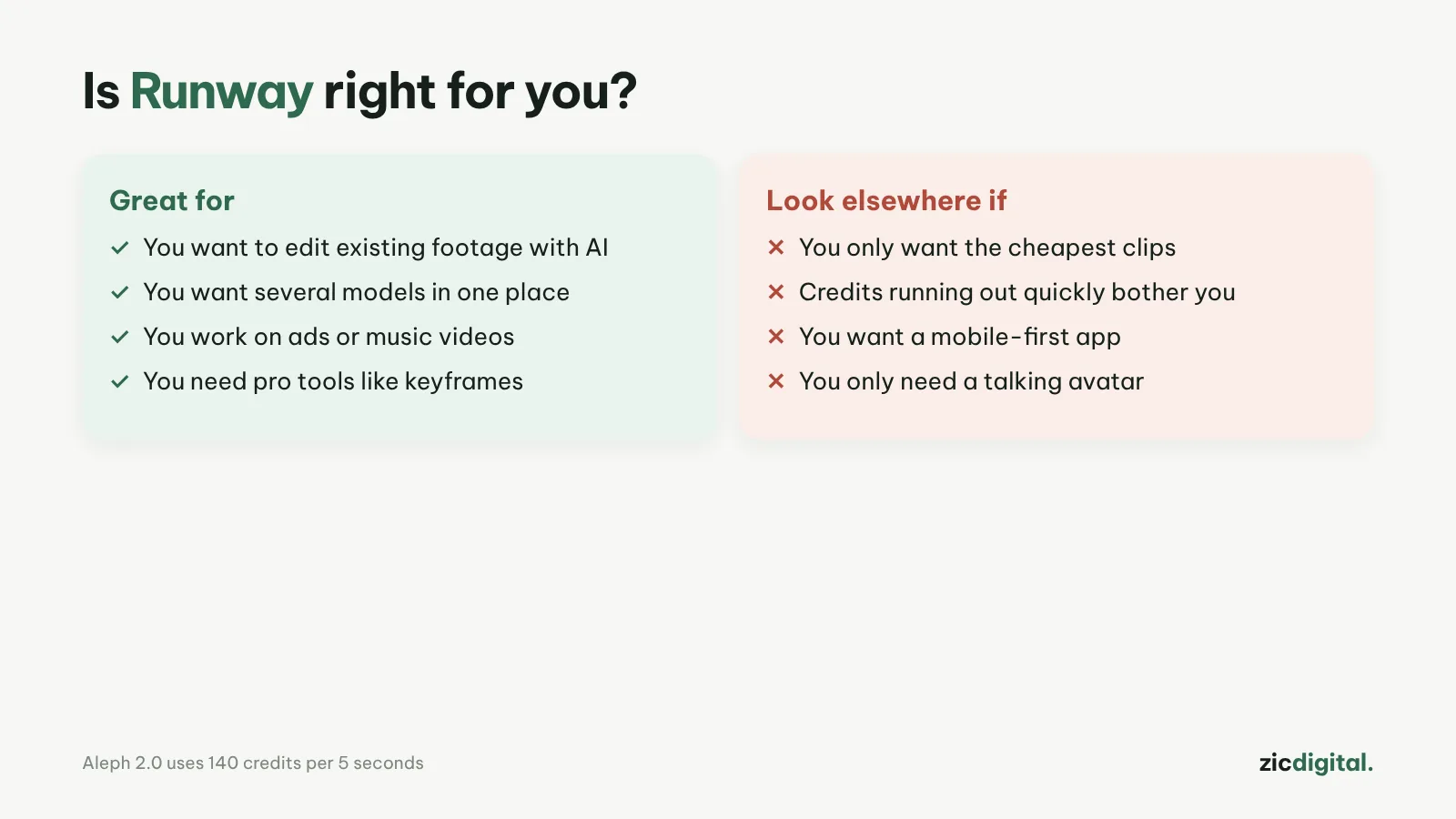
- You edit films and need shot-level control
- You want to edit existing footage with AI (change scenes, add objects)
- You want many models in one place
- You need lots of clips cheaply
- You only want the single strongest model
- You want to stay free long-term
Powerful video editing (Aleph), many models in one place, no watermark on paid plans
Credits run out fast (Standard covers about 10 Gen-4.5 clips a month), Gen-4.5 no longer leads
Research-based review: official pricing pages, docs, the Artificial Analysis leaderboard and public user feedback, checked October 30, 2026
What Runway is
Runway is an AI video platform built for filmmakers. Gen-4.5 (December 2025) is its main generation model; Aleph 2.0 edits existing video from a prompt (change the setting, add or remove objects). Runway also resells other models such as Seedance 2.5 and Wan 3, so you can try several models in one place.
Pricing
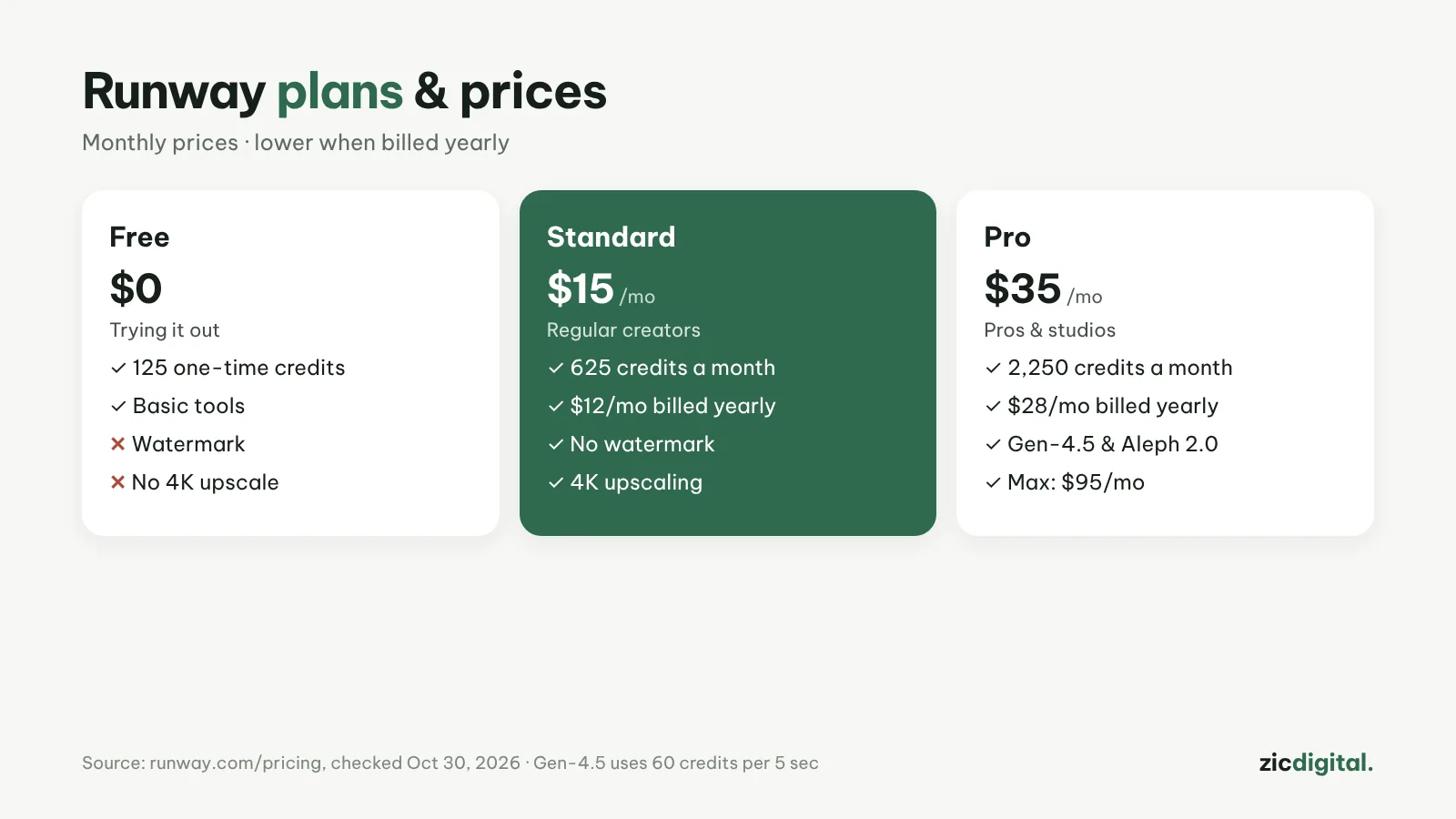
According to the pricing page on October 30, 2026: Free gives 125 one-time credits; Standard is $15/month ($12 billed yearly, 625 credits, no watermark, 4K upscaling); Pro $35 ($28 yearly, 2,250 credits); Max $95. Gen-4.5 uses 60 credits per 5 seconds and Aleph 2.0 uses 140 credits per 5 seconds.
Downsides
Standard covers only about ten 5-second Gen-4.5 clips a month. In comparison tables, Gen-4.5 now sits a tier behind the leaders on pure generation quality.
Key features
- Act-Two: film yourself acting (expressions, gestures, lines) to drive an AI-generated character — useful when a character needs to speak and perform exactly as intended instead of guessing from a prompt.
- Workflows: chain steps such as image → video → upscale into one saved pipeline you can reuse for later videos.
- 4K upscaling: available from Standard; Pro includes unlimited 4K upscaling.
- Voice and brand (Pro): one voice clone and one Brand Kit so clips stay consistent in color, fonts and voice.
- Runway Ads and mobile apps: Runway Ads creates on-brand video and image ads and publishes them to Meta, Google and TikTok; Runway also has apps for iOS and Android.
Get started in 3 steps
- Create an account and use the 125 free credits to try Gen-4.5 with a short prompt, following how to write AI video prompts.
- To keep a character or product consistent across shots, generate an image first and use it as the opening frame of the video.
- Download the clip, upscale to 4K if your plan allows, then edit and grade it following how to export and upscale AI video for YouTube.
How it compares
- vs Luma Dream Machine: Luma bundles many models into credit plans; Runway is stronger at editing existing shots — Runway vs Luma
- vs Adobe Firefly: Firefly is the safer pick for brand work, Runway gives more shot control — Adobe Firefly vs Runway
- vs Kling AI: Kling makes clips up to 30 seconds per generation, good for story-driven Shorts — Kling AI review
- vs Google Flow (Veo): Veo is known for realistic footage with audio included — Google Flow review
Quick answers
Do credits roll over to the next month? Not on Standard or Pro; Max rolls them over for one extra month. Purchased top-up credits never expire, with a minimum purchase of 1,000 credits.
Can Runway videos be monetized on YouTube? Paid plans add no watermark, but YouTube still checks whether the content adds its own value and asks you to label realistic AI scenes — see can you monetize AI videos on YouTube.
When should I use Runway instead of just generating clips elsewhere? When you already have footage and need to change it (new setting, add or remove objects) or want a character to perform like you; if you just need good clips from a prompt, see 10 AI video generators.
Verdict
Runway suits filmmakers who need to edit and control shots more than just generate clips. Compare with Luma Dream Machine (many models, credit-based plans) and Adobe Firefly (commercially safe). Edit and color grade in DaVinci Resolve (DaVinci Resolve vs Filmora); need real stock footage instead of AI? See Artlist.
Compare: Runway vs Luma Dream Machine 2026 · Adobe Firefly vs Runway 2026
All AI video tools: 10 Best AI Video Generators in 2026
See also: How to Export and Upscale AI Video Clips for YouTube
Featured in: Sora Is Gone: 6 Best Sora Alternatives in 2026
See also: Runway Pricing 2026: Free, Standard, Pro or Max — Which Plan Is Enough?
More about Runway
- Runway Pricing 2026: Free, Standard, Pro or Max — Which Plan Is Enough?
- 10 Best AI Video Generators in 2026: Pick by What You Need
- Sora Is Gone: 6 Best Sora Alternatives in 2026
- How to Export and Upscale AI Video Clips for YouTube
- AI Video Free Plans, Watermarks and Commercial Use: 10 Tools Compared (2026)
- Runway vs Luma Dream Machine 2026: Which AI Video Platform Is Worth It?
- Adobe Firefly vs Runway 2026: Which AI Video Tool for Brand Work?