Synthesia Review 2026: AI Presenter Videos for Training and Business
by Jordan · AI Video Desk — Jordan is a pen name used by a Zic Digital editor who runs the AI Video Desk. About us
Synthesia makes AI presenter videos for training and internal guides in 140+ languages; free plan with 10 minutes of video, Starter at $19/month, Pro at $89/month.
- As easy as making slides
- 140+ languages
- 10 free minutes
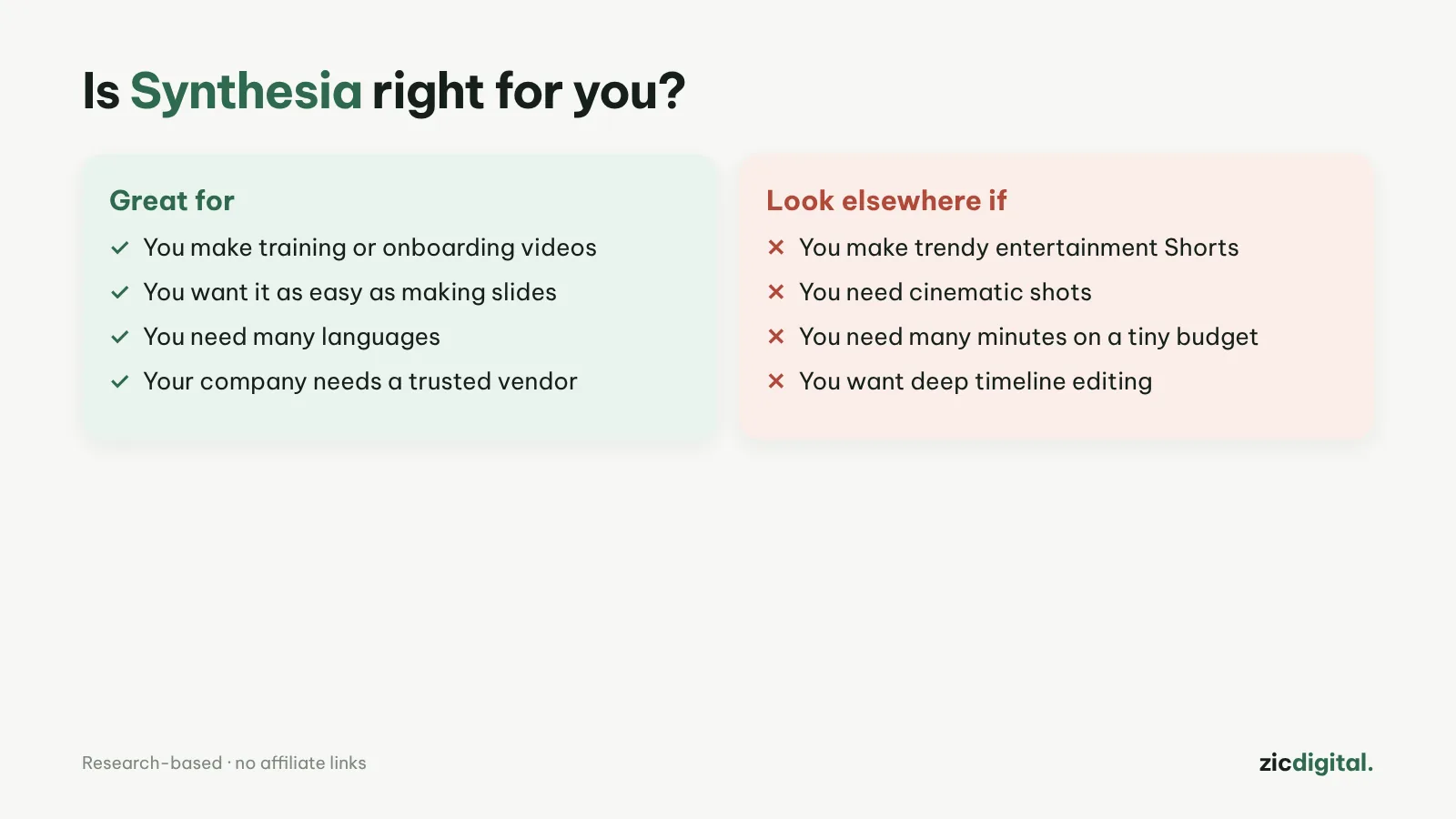
- You make training or product walkthrough videos
- You want an interface as easy as making slides
- You need a tool businesses trust
- You make entertaining, trend-driven Shorts
- You need cinematic shots
- Your budget is tiny but you need lots of minutes
As easy as slides, 140+ languages, free plan with 10 minutes, built for businesses
Free plan has a watermark and no downloads; Starter includes few minutes
Research-based review: official pricing pages, docs, the Artificial Analysis leaderboard and public user feedback, checked October 30, 2026
What Synthesia is
Synthesia makes videos with an AI presenter from a script, in an interface that feels like building slides: pick a template, type the lines, choose an avatar. It’s strongest for training, product walkthroughs and internal business videos, with 140+ languages and voices.
Pricing
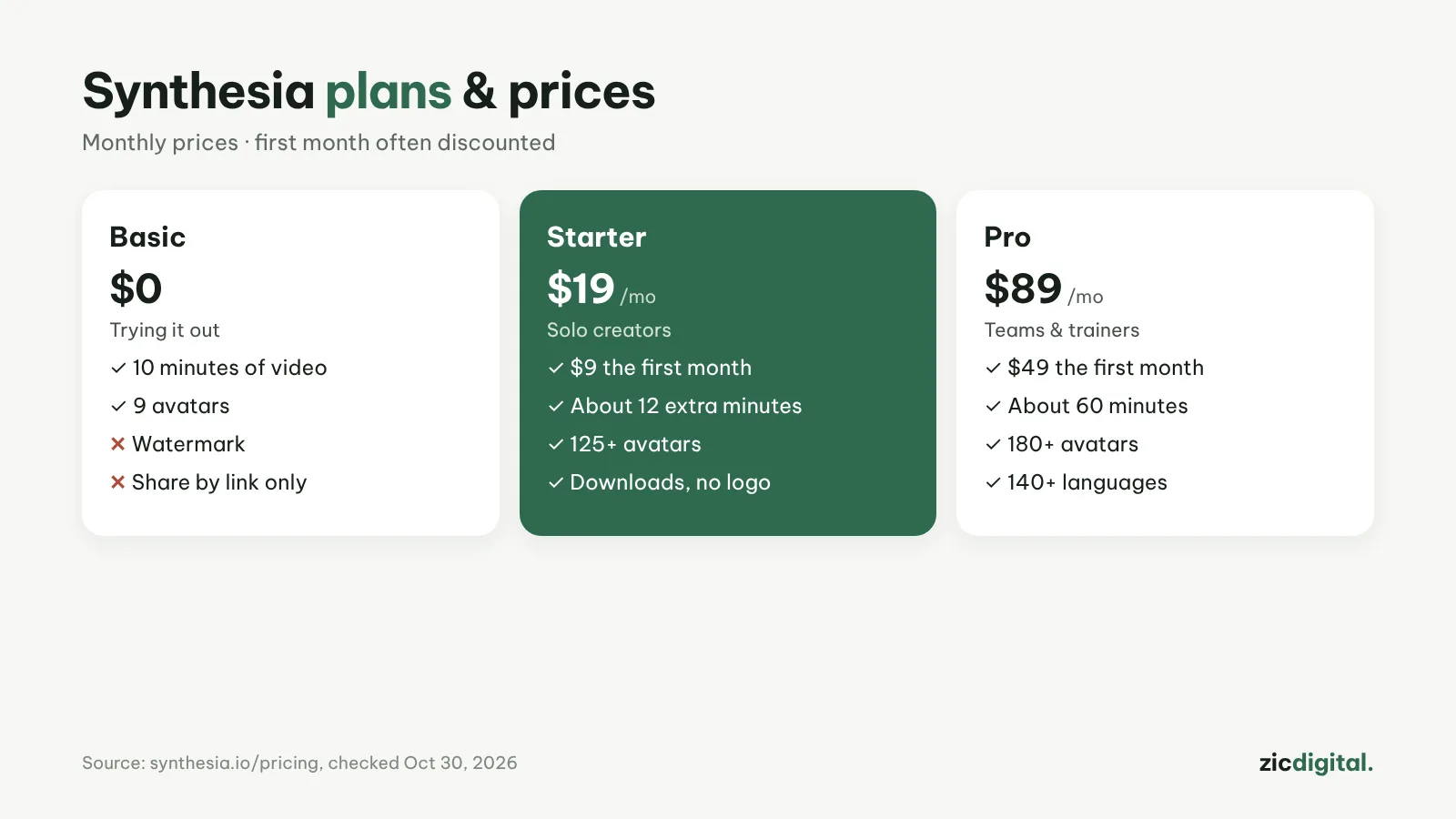
According to the pricing page on October 30, 2026: Basic is free (10 minutes of video or dubbing, 9 avatars, watermark); Starter $19/month ($9 the first month, about 12 extra minutes, 125+ avatars, downloads and logo removal); Pro $89/month ($49 the first month, about 60 minutes, 180+ avatars). Yearly billing saves up to 4 months.
Downsides
The free plan only shares via link and adds a watermark. Starter’s minutes run out quickly if you post often. Synthesia doesn’t make cinematic footage.
Key features
- Avatars that gesture: presenters wave and point along with the script, like a speaker giving a talk.
- Your own avatar: record yourself at home, in the office or outdoors in a few minutes; Starter includes 3 personal avatars.
- Syren (new): an AI agent that builds a whole video from one request; each Syren video is up to 3 minutes and uses about 1,000–2,000 credits per minute.
- Interactive video and SCORM: add quizzes, calls to action and branching; export a SCORM file for your learning management system (LMS).
- AI screen recorder: transcribes your voiceover, removes pauses and lets you fix slips in a single take — ideal for software tutorials.
All AI features (video, dubbing, surveys, Syren) now draw from one shared pool of credits.
Get started in 3 steps
- Sign up for the Basic plan and pick a template close to what you make (training, product walkthrough, feature update…).
- Type the lines for each scene like building slides, then choose an avatar and voice; the AI assistant can also turn slides, PDFs or web pages into a video.
- Preview, add captions and share by link; downloading files and removing the Synthesia logo needs a paid plan.
How it compares
- vs HeyGen: HeyGen suits YouTube and sales videos and translates into 175+ languages — HeyGen vs Synthesia
- vs ElevenLabs: when you only need a voice for footage you already have — ElevenLabs review
- vs Descript: record your real screen or face and edit it as text — Descript review
Quick answers
Does Synthesia support Vietnamese and other smaller languages? Yes. Vietnamese is among Synthesia's AI voices. Listen to a few voices and fix how names and abbreviations are read before exporting.
How do Synthesia credits work? Credits are deducted when you generate video, dub, run surveys or use Syren, each at a different rate. Check your remaining credits before a long video or a Syren run so you don't run out halfway.
Can I use Synthesia for a monetized YouTube channel? Yes, for tutorials and explainers with their own value; avoid posting batches of near-identical videos. See the rules for monetizing AI video.
Verdict
Synthesia suits businesses, teachers and training creators. For a presenter on a YouTube channel and multi-language dubbing, see HeyGen. Edit the script as text: editing video by text in Descript; add captions: best free auto caption apps; make intro slides: Canva vs Clipchamp.
Compare: HeyGen vs Synthesia 2026
All AI video tools: 10 Best AI Video Generators in 2026
See also: Can You Monetize AI Videos on YouTube? The 2026 Rules
See also: How to Make AI Presenter Videos with Synthesia (2026): From Script to Export
More about Synthesia
- How to Make AI Presenter Videos with Synthesia (2026): From Script to Export
- 10 Best AI Video Generators in 2026: Pick by What You Need
- AI Video Free Plans, Watermarks and Commercial Use: 10 Tools Compared (2026)
- HeyGen vs Synthesia 2026: Which AI Presenter Tool Should You Pick?