Adobe Firefly Review 2026: AI Video That’s Safe for Commercial Use
by Jordan · AI Video Desk — Jordan is a pen name used by a Zic Digital editor who runs the AI Video Desk. About us
Adobe Firefly generates AI video with its own model, which Adobe says is safe for commercial use, plus partner models; free daily generations, Standard at $9.99/month.
- Safe for client work
- Works with Premiere
- Free daily generations
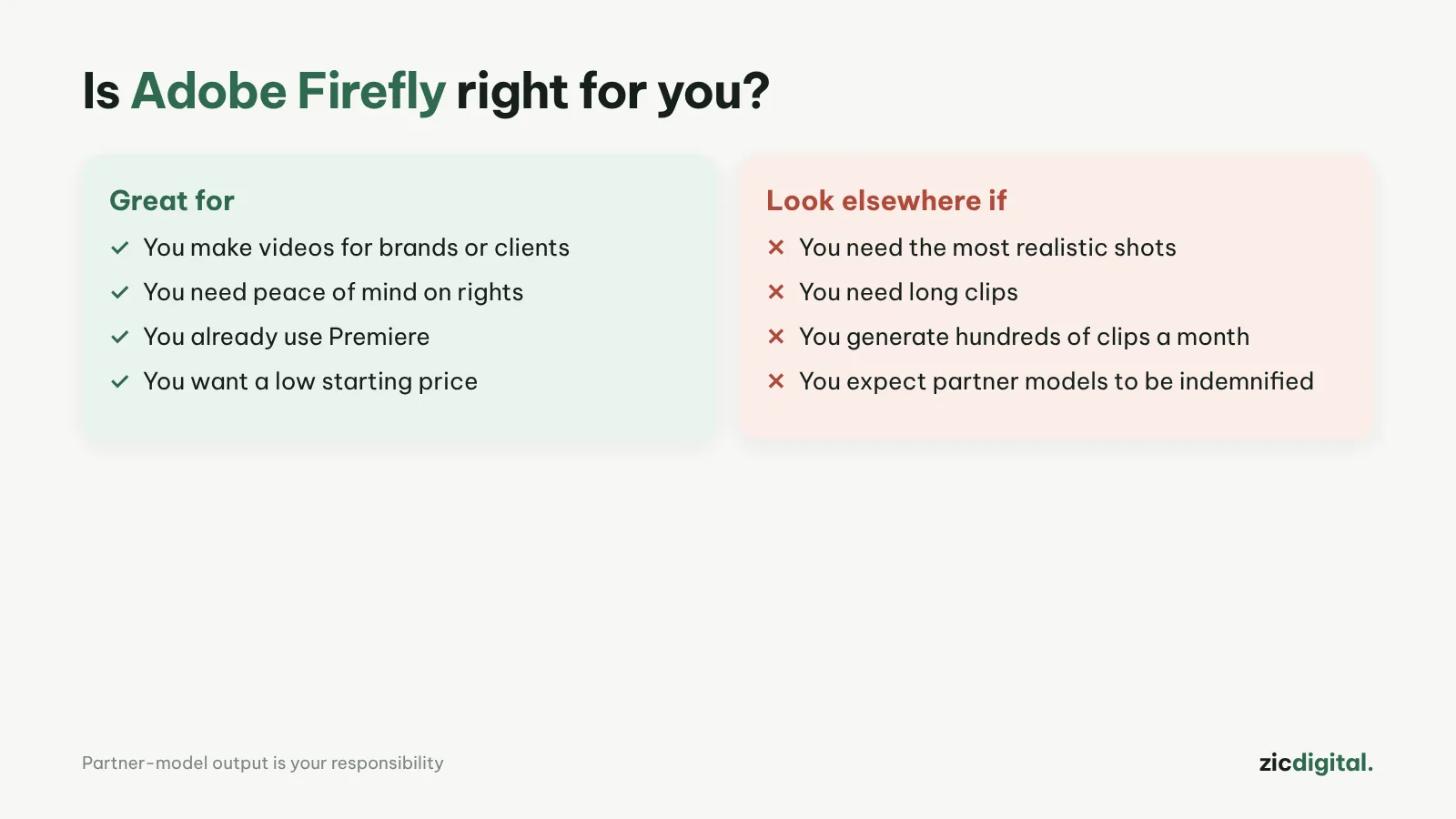
- You make videos for brands, clients or ads
- You already use Premiere or Creative Cloud
- You want a low starting price
- You need the most realistic visuals
- You need long clips
- You generate hundreds of clips a month
Adobe states Firefly model output is safe for commercial use, works with Premiere, low entry price
Lower plans give only about 20 five-second clips a month; quality behind the leaders
Research-based review: official pricing pages, docs, the Artificial Analysis leaderboard and public user feedback, checked October 30, 2026
What Adobe Firefly is
Firefly is Adobe’s AI toolset for images, video and audio, connected to Premiere and Creative Cloud. According to Adobe’s FAQ, output from Firefly models is safe for commercial use, and eligible enterprise customers can get IP indemnification. Firefly also offers partner models (Google, OpenAI, Flux and more), but with those you’re responsible for the content.
Pricing
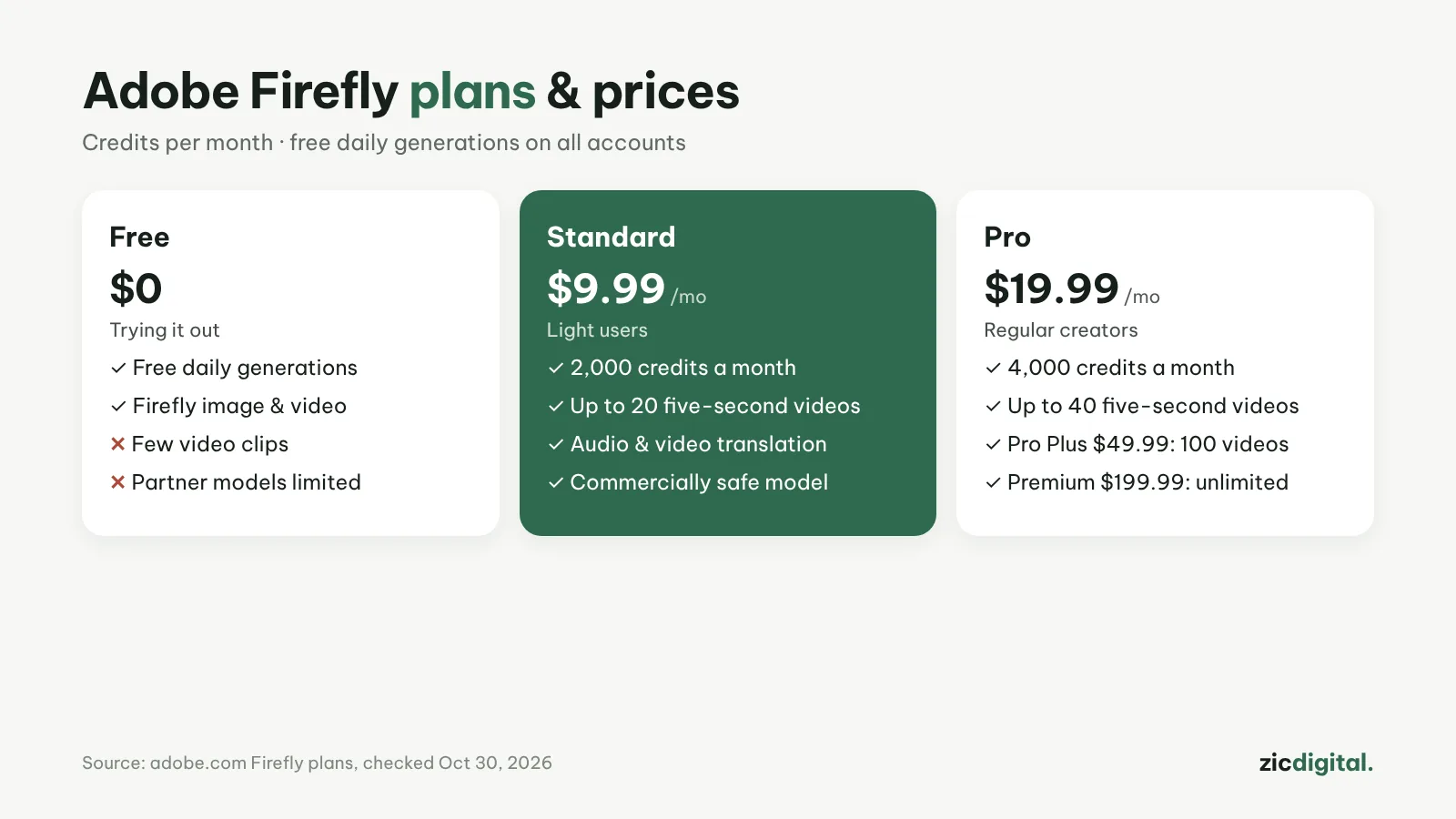
According to the plans page on October 30, 2026: there are free daily generations; Standard is $9.99/month (2,000 credits, up to 20 five-second videos); Pro $19.99 (4,000 credits, 40 videos); Pro Plus $49.99 (100 videos); Premium $199.99 (unlimited with the Firefly Video Model). Plans also include audio/video translation, sound effects and music.
Downsides
Lower plans give relatively few clips a month. Firefly’s own model isn’t among the leaderboard leaders for quality.
Key features
- Text or image to video: use a photo, illustration, 2D/3D render or concept art as the first frame and let the AI animate it.
- Shot controls: pick 16:9 or 9:16, the camera angle and the type of motion right in the left panel.
- MP4 downloads up to 4K: most models make clips up to 8 seconds, some up to 15 seconds.
- Video editor inside Firefly: regenerate or extend any segment and add voiceover, music and sound effects without leaving the app.
- Choice of models: the Firefly Video model when rights must be safe, partner models when you need a different style.
Get started in 3 steps
- Sign in at firefly.adobe.com with an Adobe account and choose video generation.
- Pick the Firefly Video model, write a prompt following how to write AI video prompts, add a first-frame image if you have one and set 16:9 or 9:16.
- Generate, pick the best take, download the MP4 and keep editing in Firefly's editor or in Adobe Premiere mobile.
How it compares
- vs Runway: Runway is stronger at editing existing footage and offers more models; Firefly gives more peace of mind on rights — Adobe Firefly vs Runway
- vs Google Flow: Veo delivers realistic footage with sound, great for cinematic shots — Google Flow review
- Now that Sora has closed: see the options in Sora alternatives
- The whole field: 10 best AI video generators in 2026
Quick answers
What does "commercially safe" mean? Adobe says its Firefly models are trained on licensed content, so their output can be used commercially. That commitment does not cover partner models. Details: commercial rights of 10 AI video tools.
Are Firefly videos marked as AI? Adobe attaches Content Credentials (provenance information) to AI-generated content rather than a visible watermark. On YouTube you still need to disclose realistic AI-generated content yourself — see monetizing AI videos on YouTube.
Do I need Creative Cloud? No: Firefly has its own plans. If you already use Premiere, bringing Firefly clips into your edit is easy.
Verdict
Firefly suits creators making brand videos who need peace of mind on rights. Editing on a phone with Premiere? See our Adobe Premiere mobile review and Edits vs Adobe Premiere mobile. For stronger scene editing, see Runway. Worried about content rights in other apps? Read Is CapCut safe?.
Compare: Adobe Firefly vs Runway 2026
All AI video tools: 10 Best AI Video Generators in 2026
See also: AI Video Free Plans, Watermarks and Commercial Use
More about Adobe Firefly
- 10 Best AI Video Generators in 2026: Pick by What You Need
- AI Video Free Plans, Watermarks and Commercial Use: 10 Tools Compared (2026)
- Adobe Firefly vs Runway 2026: Which AI Video Tool for Brand Work?