Luma Dream Machine Review 2026: Many AI Video Models in One Place
by Jordan · AI Video Desk — Jordan is a pen name used by a Zic Digital editor who runs the AI Video Desk. About us
Luma Dream Machine offers its own Ray3 models plus Seedance, Kling and Veo 3.1 on one platform; Plus costs $30/month ($25 billed yearly) and includes commercial use.
- Ray3, Kling and Veo in one place
- Automation with Luma Agents
- Commercial use from Plus
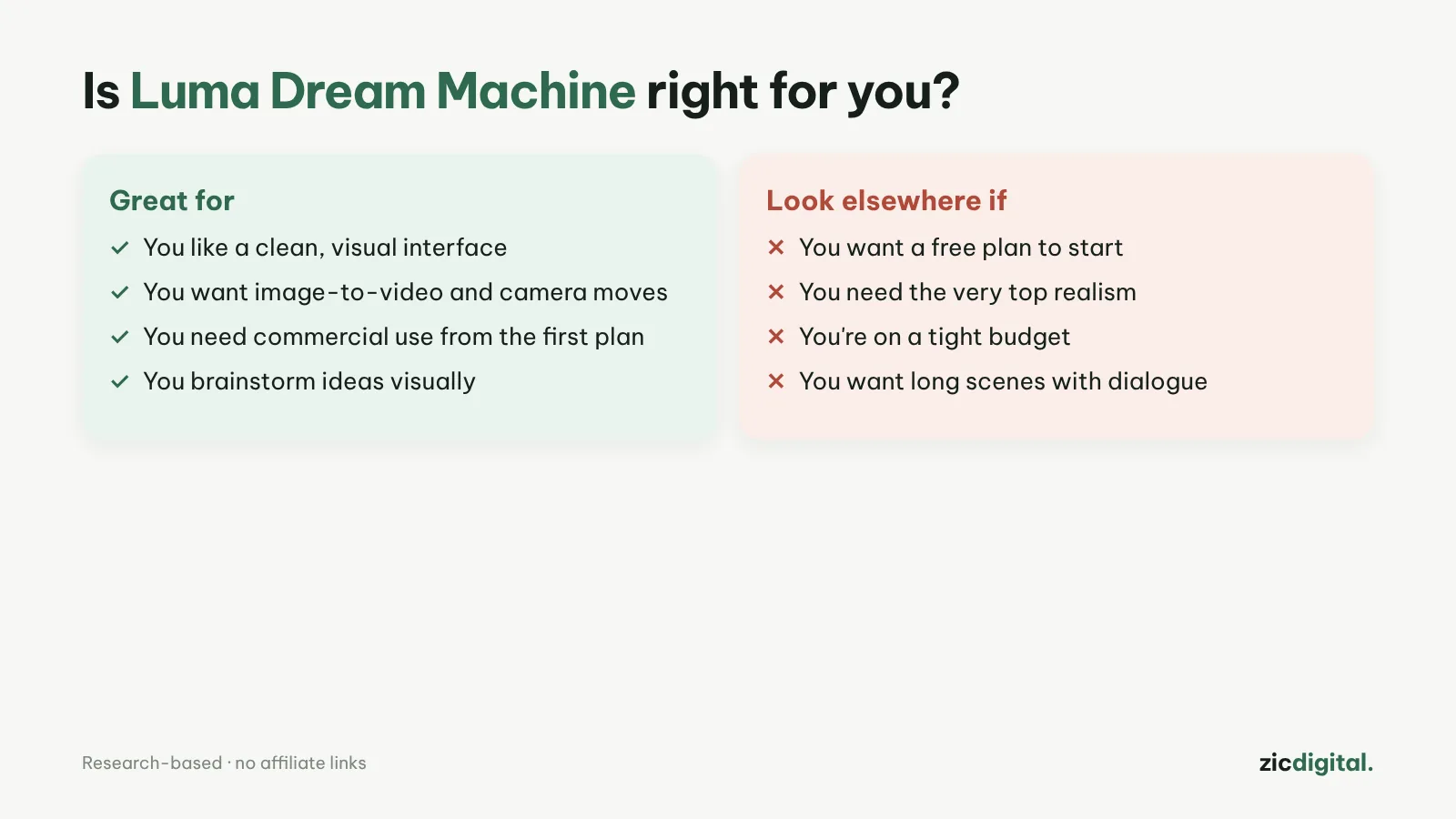
- You want to try many models and pay in one place
- You make storyboards and test ideas quickly
- You need clear commercial rights
- You want a free plan
- You only need one model
- Your budget is under $25/month
Many models in one place (Ray3, Seedance, Kling, Veo), Luma Agents, commercial use from Plus
No free plan listed on the pricing page; higher entry price than Kling or Hailuo
Research-based review: official pricing pages, docs, the Artificial Analysis leaderboard and public user feedback, checked October 30, 2026
What Luma Dream Machine is
Dream Machine is Luma Labs’ AI video platform. Besides Luma’s own Ray3 models, the pricing page lists Seedance, Kling, Veo 3.1 and others, plus Luma Agents to automate workflows. Many people use Luma to test ideas and build storyboards quickly.
Pricing
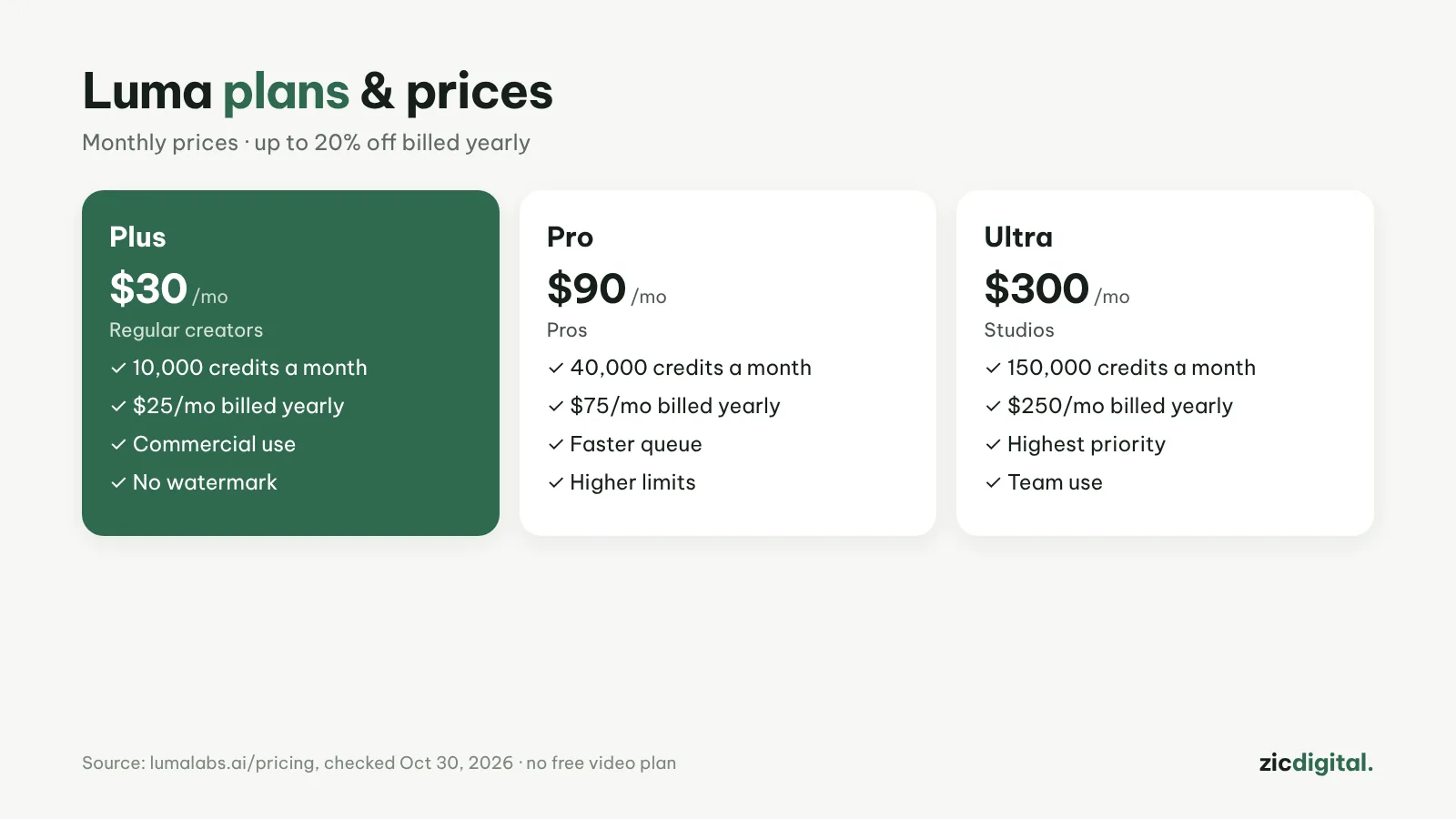
According to the pricing page on October 30, 2026: Plus is $30/month ($25 billed yearly, 10,000 credits, commercial use); Pro $90/month ($75 yearly, 40,000 credits); Ultra $300/month ($250 yearly, 150,000 credits). Yearly billing saves up to 20%.
Downsides
The pricing page lists no free plan, so the entry price is higher than Kling AI or Hailuo AI. Third-party models use different amounts of credits.
Key features
- Ray3.2 with HDR: Luma's own model makes 5- or 10-second clips, with HDR and HDR+EXR options for heavy color work (2–3× the credits).
- Keyframes: set a start and end image and Ray3.2 fills in the motion between them — handy for transitions and storyboards.
- Reframe, Extend, Modify: change the frame (e.g. 16:9 to 9:16), extend Ray3.14 clips in 5-second steps, and edit existing video with words using Seedance 2.5.
- Audio in the same account: ElevenLabs voices, sound effects and music, plus lip-sync tools.
- Upscaling: video upscaling (Luma, Topaz) and HDR conversion right on the platform.
Get started in 3 steps
- Sign up for the Plus plan at lumalabs.ai (the pricing page lists no free plan).
- Pick a model: Ray3.2 for short clips with keyframes, or Kling 4.0, Seedance 2.5 or Veo 3.1 for a different look; write your prompt with how to write AI video prompts.
- Reframe to 9:16 for Shorts, upscale, then download and assemble following how to export and upscale AI video.
How it compares
- vs Runway: Runway is stronger at editing existing footage; Luma bundles more models — Runway vs Luma Dream Machine
- vs Google Flow: Flow is cheaper if you already pay for Google AI, but it only has Veo — Google Flow (Veo) review
- vs Kling: Kling has a daily free plan; Luma includes Kling 4.0 in the same account — Kling AI review
- The whole field: 10 best AI video generators in 2026
Quick answers
Which video models does Luma offer? According to the pricing page: Luma's Ray3.2 and Ray3.14, Seedance 2.0/2.5, Kling 3.0 and 4.0, Veo 3.1, MiniMax H3 and Flux 3. Each model uses a different amount of credits.
Can I use Luma videos commercially? The pricing page lists commercial use from the Plus plan. Read the terms before client work — see AI video free plans, watermarks and commercial use.
Can Luma videos be monetized on YouTube? Yes, if they add real value, aren't mass-produced repeats, and you label realistic synthetic content when YouTube asks — see can you monetize AI videos on YouTube.
Verdict
Luma suits creators who want one account for many models and clear commercial rights. Compare with Runway (stronger video editing) and Google Flow (Veo) (cheaper if you already use Gemini). Export properly with DaVinci Resolve export settings for YouTube.
Compare: Runway vs Luma Dream Machine 2026
All AI video tools: 10 Best AI Video Generators in 2026
See also: AI Video Free Plans, Watermarks and Commercial Use
Featured in: Sora Is Gone: 6 Best Sora Alternatives in 2026
More about Luma Dream Machine
- 10 Best AI Video Generators in 2026: Pick by What You Need
- Sora Is Gone: 6 Best Sora Alternatives in 2026
- AI Video Free Plans, Watermarks and Commercial Use: 10 Tools Compared (2026)
- Runway vs Luma Dream Machine 2026: Which AI Video Platform Is Worth It?