Wan (Alibaba) Review 2026: Wan 3.0 Tops the Leaderboard, Cheapest Per Second
by Jordan · AI Video Desk — Jordan is a pen name used by a Zic Digital editor who runs the AI Video Desk. About us
Alibaba’s Wan 3.0 ranks first on Artificial Analysis’s text-to-video leaderboard, makes clips up to 30 seconds at 1080p, with API prices from about $0.05 per second; the older Wan 2.2 is open-weight and free to self-host.
- Cheapest per second
- 30-second clips at 1080p
- Older version is free to self-host
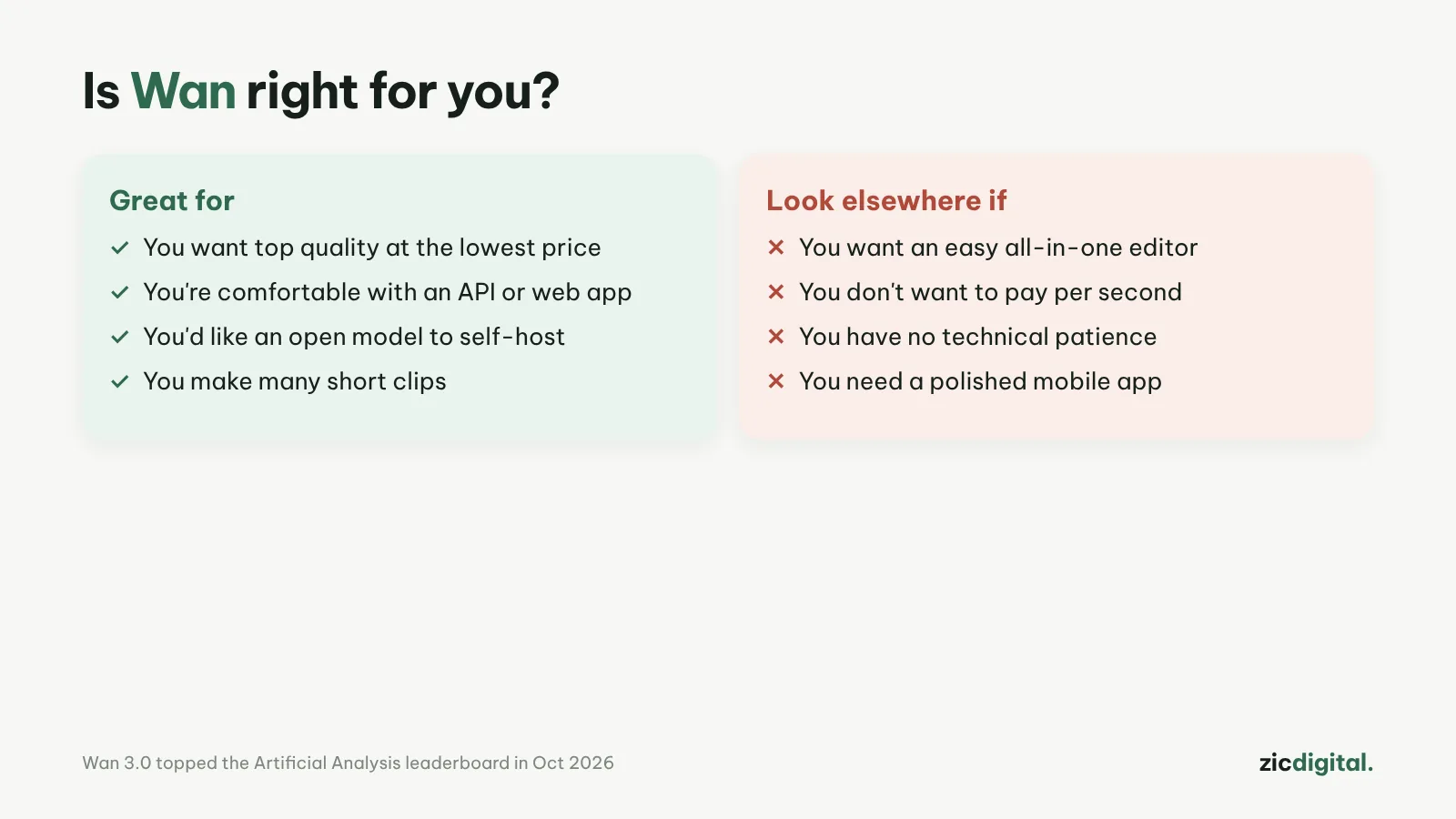
- You need lots of clips at the lowest cost
- You can use an API or a third-party platform
- You want to self-host an open model (Wan 2.2)
- You want an app that just works
- You need official customer support
- You’re new to AI video
No. 1 on the leaderboard, clips up to 30 seconds, cheapest per-second price, older open-weight version
Hard for beginners; Wan 3.0 is no longer open-weight; the official app is still limited
Research-based review: official pricing pages, docs, the Artificial Analysis leaderboard and public user feedback, checked October 30, 2026
What Wan is
Wan is Alibaba’s family of AI video models. Wan 3.0 launched on August 24, 2026 (public beta from August 6). It makes clips up to 30 seconds in a single pass, up to 1080p, with multilingual voice (not yet independently verified). On Artificial Analysis’s text-to-video leaderboard (October 2026), Wan 3.0 ranks first.
Pricing
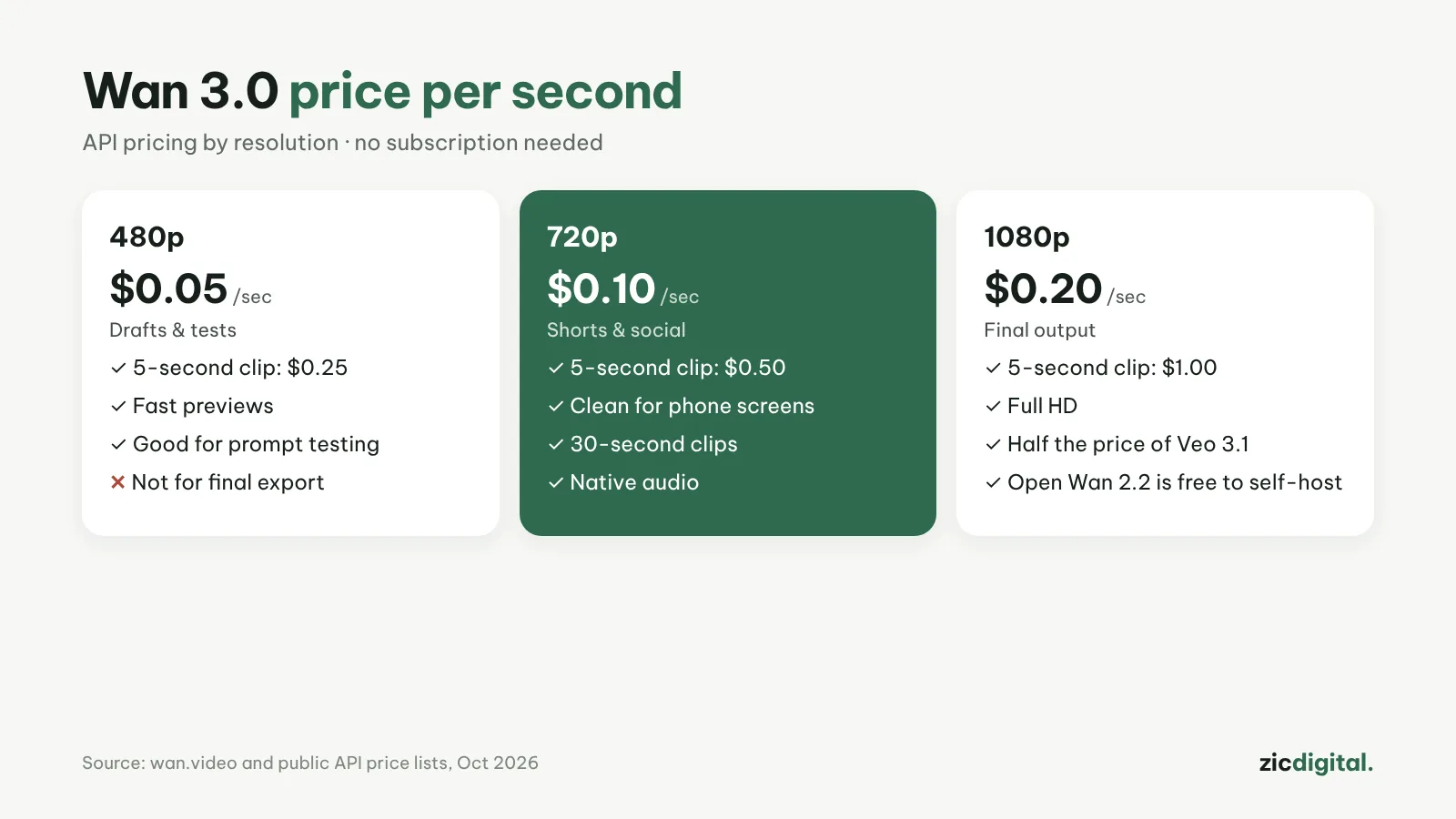
Wan 3.0 is priced per second of video: about $0.05 at 480p, $0.10 at 720p and $0.20 at 1080p, far below Veo 3.1 (about $0.40 per second at the standard tier). The older Wan 2.2 is open-weight (Apache-2.0) and free to self-host if you have a powerful machine.
Downsides
Alibaba kept Wan 3.0’s weights closed, unlike earlier versions. The wan.video service is planned as members-only and API access is still rolling out, so beginners usually go through a third-party platform; for example, Runway resells Wan 3.
Key features
- One model, several modes: Wan 3.0 does text-to-video, image-to-video (from a first frame, or first and last frames) and reference-based generation.
- Three resolutions: 480p, 720p and 1080p — test ideas cheaply at 480p and render only the final version at 1080p.
- Same list price across regions: on Alibaba Cloud Model Studio, Beijing and the Global regions (Tokyo, Frankfurt, Virginia) all list 0.3 / 0.6 / 1.2 CNY per second; Singapore is slightly higher.
- Open weights to run yourself: Wan 2.2 includes TI2V-5B, which makes 720p video at 24 fps on a 24 GB card like the RTX 4090, plus 14B models for higher quality.
Get started in 3 steps
- Create an Alibaba Cloud account, open Model Studio and pick the wan3.0-video model in the playground. If you'd rather avoid a cloud console, you can use Wan through Runway.
- Choose a mode (text or image) and keep it at 480p while testing; write your prompt with how to write AI video prompts.
- Once you like it, render again at 1080p, download, then assemble and upscale with how to export AI video for YouTube.
How it compares
- vs Hailuo AI: Hailuo is easier for beginners, with an app and trial credits — Wan vs Hailuo AI
- vs Google Flow (Veo): Veo has great audio and a clean interface but costs more per second — Google Flow (Veo) review
- vs Kling: Kling also makes clips up to 30 seconds and has a daily free plan — Kling AI review
- Replacing Sora: Best Sora alternatives
Quick answers
What do I need to run Wan on my own computer? Only Wan 2.2 is open. TI2V-5B needs a GPU with at least 24 GB of VRAM (e.g. RTX 4090); the 14B models need around 80 GB. Wan 3.0 is cloud-only.
How much does a 10-second 1080p clip cost? At list price: 10 × 1.2 = 12 CNY. The same clip at 480p is 3 CNY, so test at low resolution first.
Can I use Wan videos commercially? Wan 2.2 is under the Apache-2.0 license, which allows commercial use. Wan 3.0 through Model Studio follows Alibaba Cloud's terms — see commercial use across 10 AI video tools.
Verdict
Wan suits creators who need many clips at low cost and don’t mind some technical setup. For an easier app, see Hailuo AI or Google Flow (Veo). To assemble and color grade clips: DaVinci Resolve.
Compare: Wan vs Hailuo AI 2026
All AI video tools: 10 Best AI Video Generators in 2026
See also: How to Export and Upscale AI Video Clips for YouTube
Featured in: Sora Is Gone: 6 Best Sora Alternatives in 2026
More about Wan (Alibaba)
- 10 Best AI Video Generators in 2026: Pick by What You Need
- Sora Is Gone: 6 Best Sora Alternatives in 2026
- How to Export and Upscale AI Video Clips for YouTube
- AI Video Free Plans, Watermarks and Commercial Use: 10 Tools Compared (2026)
- Wan vs Hailuo AI 2026: Which Budget AI Video Tool Is Better?