Runway Pricing 2026: Free, Standard, Pro or Max — Which Plan Is Enough?
by Jordan · AI Video Desk — Jordan is a pen name used by a Zic Digital editor who runs the AI Video Desk. About us
Runway's plans in October 2026, how many seconds of AI video each one covers, yearly vs monthly billing and how to pick a plan by how much video you make.
Runway sells credits: each plan gives you a monthly credit allowance, and every second of video costs a different number of credits depending on the model. So the real question isn't "which plan is cheapest" but "how many seconds of AI video do you need a month".
Current prices
According to the official pricing page on October 31, 2026:
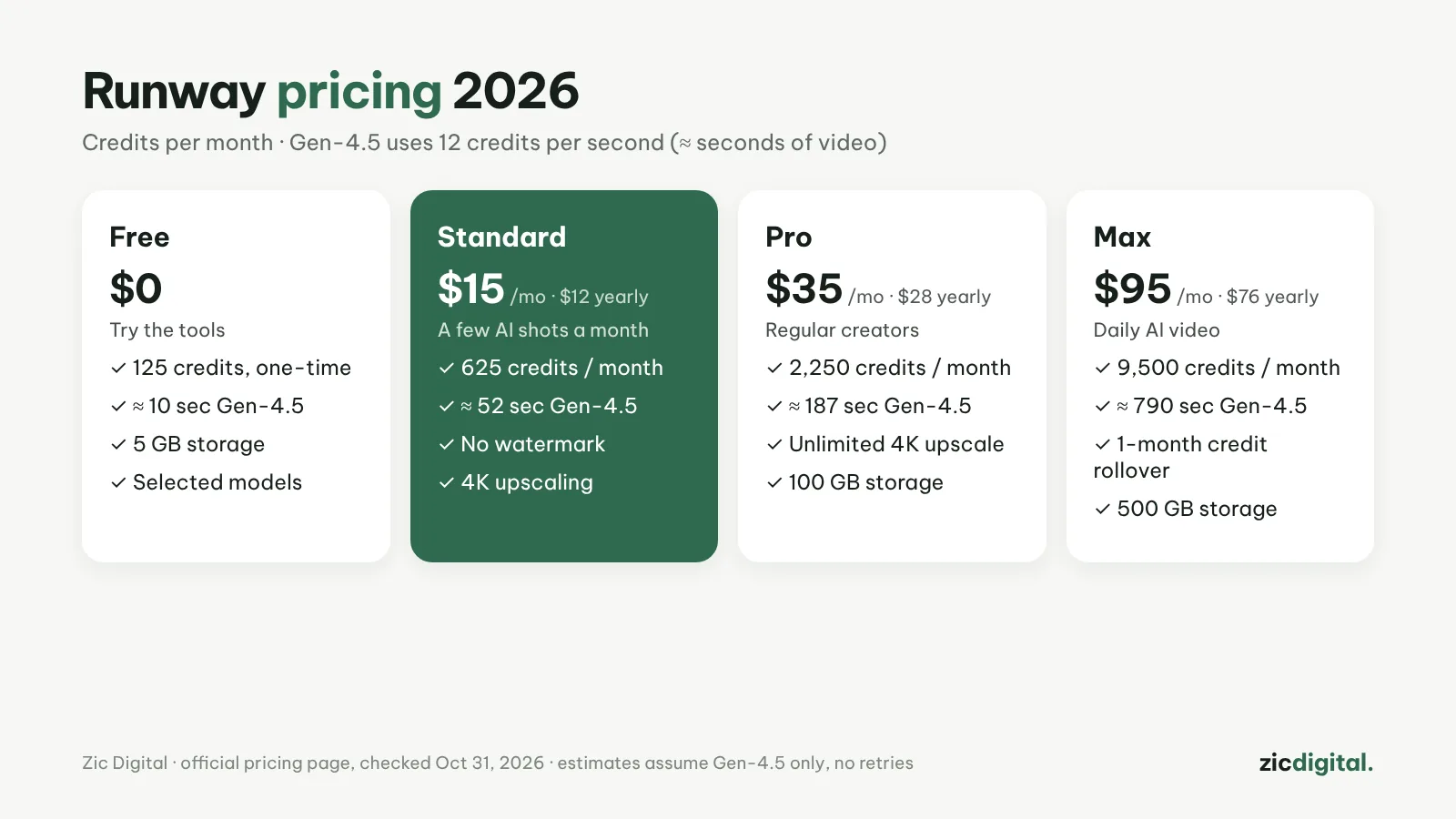
- Free: $0, 125 one-time credits, 5 GB storage, selected models only.
- Standard: $15/month ($12/month billed yearly), 625 credits a month, 20 GB, no watermark, 4K upscaling.
- Pro: $35/month ($28 billed yearly), 2,250 credits, 100 GB, unlimited 4K upscaling, top up credits anytime.
- Max: $95/month ($76 billed yearly), 9,500 credits, 500 GB, unused credits roll over for up to one month.
How many seconds of video the credits buy
From the credit table on the same page: Gen-4.5 uses 12 credits per second (60 credits per 5 seconds), Aleph 2.0 — the model for editing existing video — uses 140 credits per 5 seconds, and Seedance 2.0 Pro at 1080p uses 160 credits per 4 seconds. Estimates if you only use Gen-4.5:
- Free: about 10 seconds (two 5-second clips)
- Standard: about 52 seconds (10 clips)
- Pro: about 187 seconds (37 clips)
- Max: about 790 seconds (150+ clips)
In practice you'll regenerate most shots a few times, so divide these by 2–3. Credits also pay for images (Gen-4 Image 8 credits each), voice (1 credit per 50 characters) and music.
Who each plan is for
- Free: testing the interface and quality; not enough for a finished video.
- Standard: a few Shorts a month, or a few AI shots inside real footage.
- Pro: regular creators who edit shots with Aleph and upscale to 4K often.
- Max: small studios or daily AI video channels; it's the only plan that keeps unused credits.
Yearly or monthly?
Yearly is 20% cheaper on every plan. Standard and Pro credits reset each cycle and don't roll over, so don't buy a bigger plan "to save up". If you only run short for a month or two, top-up credits (minimum 1,000, never expire) can make more sense than upgrading.
Quick pick
- Just trying: Free, then Standard monthly
- Under 1 minute of AI video a month: Standard
- 2–3 minutes a month with shot editing: Pro
- AI video every day: Max, billed yearly
Quick answers
Which plan exports without a watermark? The pricing page lists "no watermarks" from Standard up. See also AI video free plans, watermarks and commercial use.
Should I buy Runway just to use Kling or Seedance? Runway offers those models but charges its own credits (Seedance 2.0 Pro: 160 credits per 4 seconds). If you only need one model, compare with buying directly from Kling or Dreamina.
How do I get 4K for YouTube? Standard includes 4K upscaling; Pro and Max list it as unlimited. For the right export steps, see export and upscale AI video for YouTube.
Based on the official pricing page, checked October 31, 2026 — no affiliate links.
Read more: Runway review · Runway vs Luma Dream Machine · Adobe Firefly vs Runway · How to write AI video prompts · 10 best AI video generators 2026
Keep reading
- 10 Best AI Video Generators in 2026: Pick by What You Need
- Sora Is Gone: 6 Best Sora Alternatives in 2026
- How to Export and Upscale AI Video Clips for YouTube
- AI Video Free Plans, Watermarks and Commercial Use: 10 Tools Compared (2026)
- Runway vs Luma Dream Machine 2026: Which AI Video Platform Is Worth It?
- Adobe Firefly vs Runway 2026: Which AI Video Tool for Brand Work?