HeyGen Review 2026: AI Presenters and Dubbing in 175+ Languages
by Jordan · AI Video Desk — Jordan is a pen name used by a Zic Digital editor who runs the AI Video Desk. About us
HeyGen turns a script into video with an AI presenter (avatar), clones voices and dubs into 175+ languages; free plan with 3 videos a month, Creator at $29/month ($24 billed yearly).
- AI presenter from a script
- Dubbing in 175+ languages
- Clone your own voice
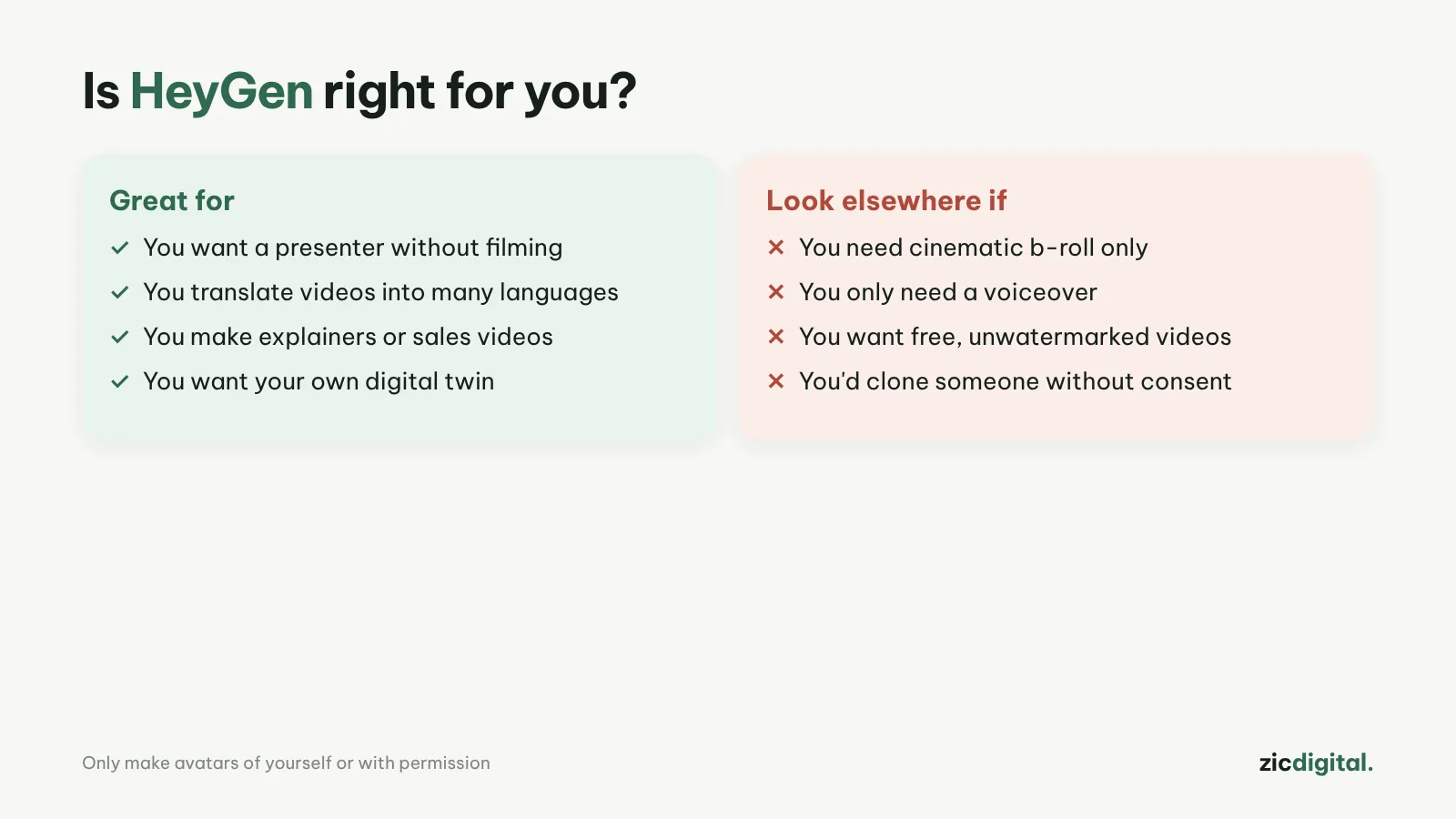
- You want presenter-led videos without filming yourself
- You want to translate videos into many languages
- You make explainers, sales or training videos
- You need cinematic shots without a presenter
- You only need a voice, not visuals
- You want free videos without a watermark
Natural avatars, dubbing in 175+ languages, HeyGen Video 1 reached the top 6 on the leaderboard
Free plan has a watermark and 1-minute limit; credit cost varies by model
Research-based review: official pricing pages, docs, the Artificial Analysis leaderboard and public user feedback, checked October 30, 2026
What HeyGen is
HeyGen turns a script into a video with an AI presenter (a stock avatar or one that looks like you), plus translation and dubbing with lip sync. In October 2026 its HeyGen Video 1 generation model reached the top 6 on Artificial Analysis’s text-to-video leaderboard, so HeyGen is no longer just an avatar tool.
Pricing
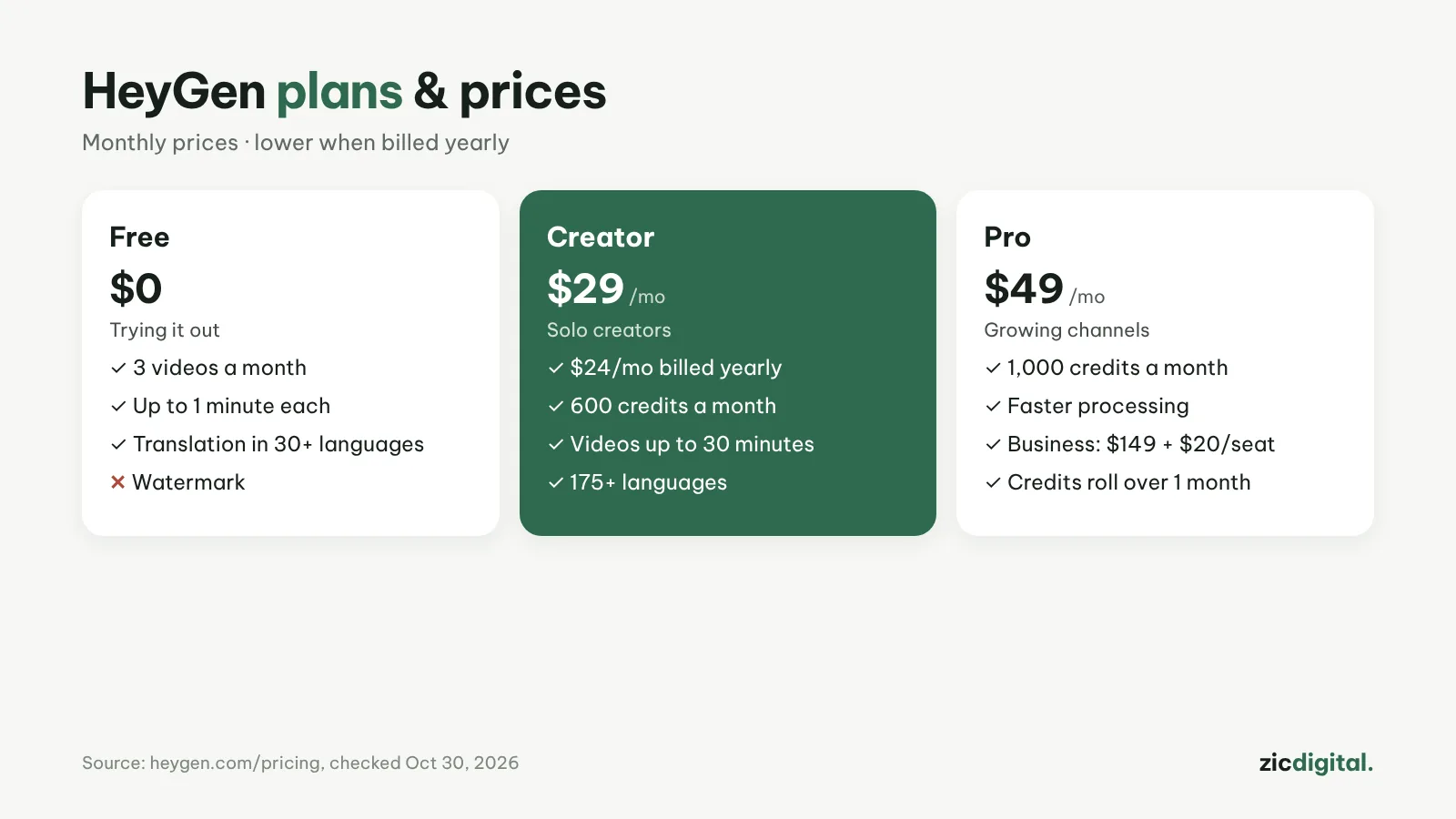
According to the pricing page on October 30, 2026: Free gives 3 videos a month, up to 1 minute each, watermarked, with translation into 30+ languages; Creator is $29/month ($24 billed yearly, 600 credits, videos up to 30 minutes, 175+ languages); Pro $49 (1,000 credits); Business $149 plus $20 per seat. Unused credits carry over for one month.
Downsides
The free plan is only good for testing. Credits per minute of video vary by model and complexity, so costs are hard to predict.
Key features
- Avatar V from one recording: record a short clip and HeyGen keeps the same face and presence across every video, with several camera angles (wide, medium, close-up) from that one take.
- Script-driven AI Studio: edit words, gestures and emotion directly in the text; includes Voice Director, auto captions, Brand Kit and team comments.
- One-click video translation: upload a file or paste a YouTube link and translate into 175+ languages and dialects, keeping the original voice with lip sync.
- Video Agent: type one request and get a video with a presenter, B-roll and text overlays; every element stays editable afterwards.
- Many inputs: text, images, audio, PPT or PDF can all become video, and there is an API for developers.
Get started in 3 steps
- Create a HeyGen account and pick a stock avatar, or record a short clip to make your own (on-camera identity verification is required).
- Paste your script into AI Studio, choose a voice and language, and add B-roll or slides.
- Preview, turn on captions and export; for another language, use video translation.
How it compares
- vs Synthesia: Synthesia leans toward corporate training, with interactive video and SCORM export — HeyGen vs Synthesia
- vs ElevenLabs: if you only need dubbing without a presenter, ElevenLabs is simpler — ElevenLabs vs HeyGen
- vs Descript: Descript edits real footage by editing text; HeyGen creates a virtual presenter — Descript review
Quick answers
Does HeyGen support Vietnamese and other smaller languages? Yes. Vietnamese is among HeyGen's voices and video translation languages. Listen to a few voices and fix how names are pronounced before exporting a long video.
What do I need to create an avatar of myself? A short clip with your face and voice clearly visible and audible, plus an on-camera identity check. HeyGen won't create an avatar of someone who hasn't verified.
Can avatar videos be monetized on YouTube? Yes, if the content has its own value and isn't mass-produced and repetitive; when the presenter looks like a real person, turn on the synthetic content label. See the rules for monetizing AI video.
Verdict
HeyGen suits explainer, sales and training channels that want a presenter and many languages. Compare with Synthesia (more business-focused). Only need a voice? See ElevenLabs or ElevenLabs vs CapCut text-to-speech. To edit video by editing text: Descript.
Compare: HeyGen vs Synthesia 2026 · ElevenLabs vs HeyGen 2026
All AI video tools: 10 Best AI Video Generators in 2026
See also: Can You Monetize AI Videos on YouTube? The 2026 Rules
See also: HeyGen Pricing 2026: Which Plan Is Enough for a YouTube Channel?
More about HeyGen
- HeyGen Pricing 2026: Which Plan Is Enough for a YouTube Channel?
- AI Voice and Music for YouTube 2026: 6 Tools Worth Using
- 10 Best AI Video Generators in 2026: Pick by What You Need
- Can You Monetize AI Videos on YouTube? The 2026 Rules
- AI Video Free Plans, Watermarks and Commercial Use: 10 Tools Compared (2026)
- HeyGen vs Synthesia 2026: Which AI Presenter Tool Should You Pick?
- ElevenLabs vs HeyGen 2026: Which Is Better for Dubbing Your Videos?