YouTube Creator Toolkit 2026: From Idea to Upload
The 8 stages of making a YouTube video and the best tool for each: ideas, recording, editing, voiceover, music, captions, thumbnails and export. Includes a $0 kit and a lean paid kit.
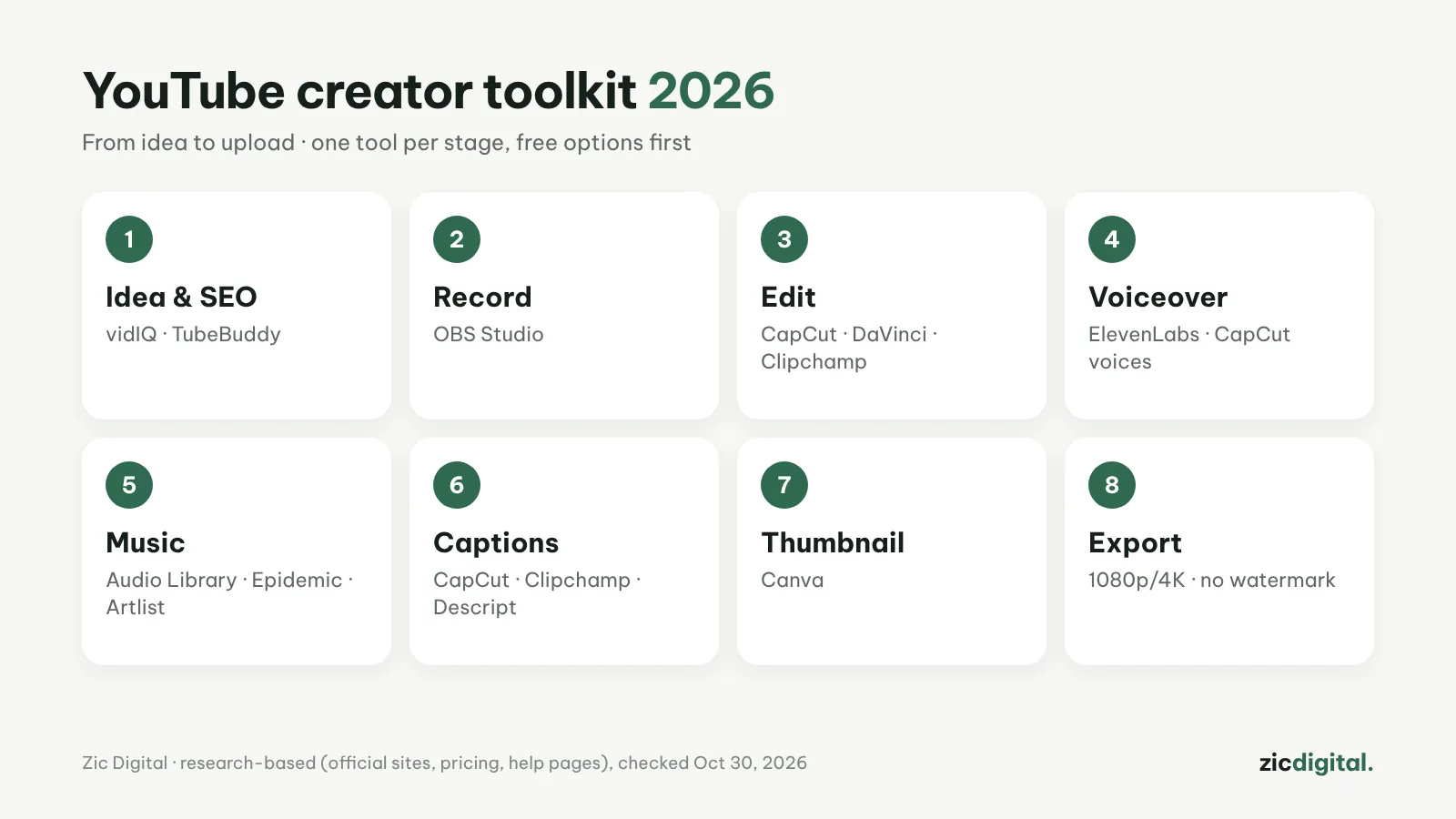
Making a YouTube video takes 8 stages. You don't need to buy everything: most stages have a free option that's good enough. Here are the tools we recommend for each stage, based on our reviews and comparisons on Zic Digital.
1. Ideas and SEO
vidIQ suggests ideas daily and shows which keywords people search for; TubeBuddy is cheaper and strong on bulk edits. Both free plans are enough to start.
vidIQ review · TubeBuddy review · YouTube SEO with vidIQ · vidIQ vs TubeBuddy 2026
2. Screen recording
OBS Studio is free with no time limit, records your webcam and can live stream. For short tutorials under 30 minutes, Clipchamp's recorder is quicker.
OBS Studio review · How to Record Your Screen with OBS Studio for YouTube (Free) · OBS Studio vs Clipchamp 2026
3. Editing
CapCut for Shorts and short videos, DaVinci Resolve for long videos that need color work, Clipchamp for beginners on Windows.
CapCut review · DaVinci Resolve review · Clipchamp review · Best Free Video Editors for Windows in 2026 · Best Free Video Editors for Phones in 2026 · 8 Best CapCut Alternatives in 2026 (Free & Paid)
4. Voiceover
For a few short lines use CapCut's built-in voices; for a voiceover-driven channel, ElevenLabs sounds far more natural, with commercial rights from $6/month.
ElevenLabs review · How to Make an AI Voiceover for YouTube with ElevenLabs · ElevenLabs vs CapCut Text-to-Speech 2026
5. Background music
Start with YouTube's free Audio Library; for more choice use Epidemic Sound or Artlist, and connect your channel before publishing.
Epidemic Sound review · Artlist review · Music for YouTube Without Copyright Claims · Epidemic Sound vs Artlist 2026
6. Captions
CapCut has the most animated styles, Clipchamp downloads SRT files, Descript is the most accurate for talking videos.
Best Free Auto Caption Apps 2026 · Descript review
7. Thumbnails
Canva has ready-made thumbnail templates and a capable free plan. YouTube Studio offers free thumbnail Test & Compare.
8. Export and upload
Use the right YouTube export settings, pick an app with no watermark, and use a 1080×1920 vertical frame for Shorts.
CapCut Export Settings for YouTube and TikTok · DaVinci Resolve Export Settings for YouTube (Free Version) · Free Video Editors With No Watermark in 2026 · How to Make YouTube Shorts in CapCut, Step by Step
The $0 kit
vidIQ free · OBS Studio · CapCut or DaVinci Resolve · CapCut's built-in voices · YouTube Audio Library · captions in Clipchamp or CapCut · Canva free.
A lean paid kit (about $20–30/month)
vidIQ Pro (about $7.50) or TubeBuddy Pro (about $4.50) · ElevenLabs Starter ($6) · Epidemic Sound Creator ($9.99 billed yearly) · keep editing in free DaVinci Resolve or CapCut.
Recommendations based on research (official sites, pricing, help pages), checked October 30, 2026 — no affiliate links.