8 Best CapCut Alternatives in 2026 (Free & Paid)
Eight CapCut alternatives for desktop and mobile, from free DaVinci Resolve to Instagram's Edits, with prices and which one to pick for what you make.
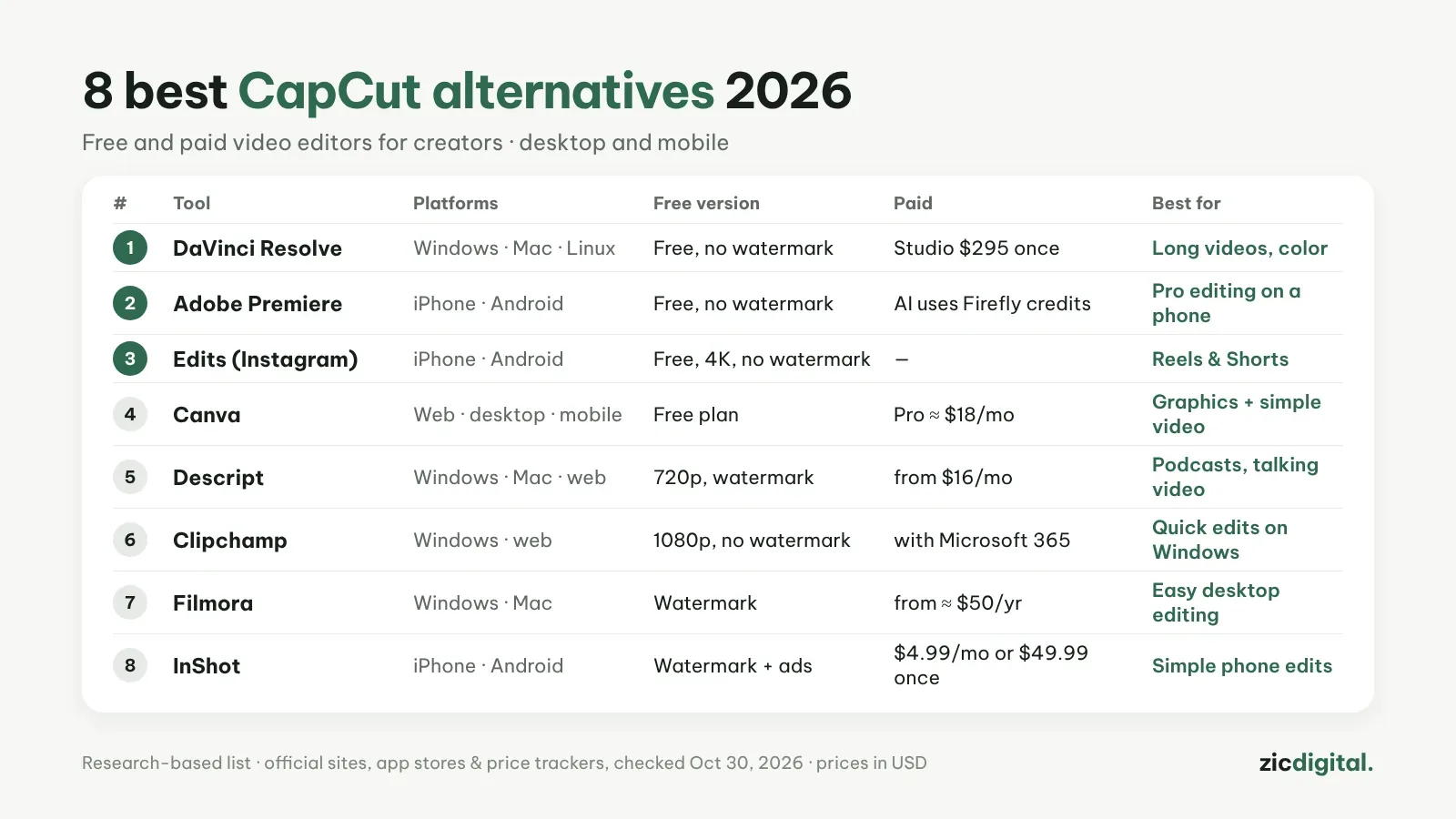
CapCut is still fast and full of templates, but Pro costs $19.99/month and its 2025 terms update pushed many creators to look elsewhere. Here are 8 options, ranked by how well they replace CapCut for YouTube and social video.
1. DaVinci Resolve — best free desktop editor
The free version already includes editing, color grading, audio and Ultra HD export with no watermark. The trade-off: a few weeks of learning and a capable computer. Price: free; Studio is $295 one-time. DaVinci Resolve review · CapCut vs DaVinci Resolve
2. Adobe Premiere (mobile) — pro editing on your phone
Adobe's free Premiere app launched on iPhone in September 2025 and on Android in September 2026. Multi-track timeline, no watermark on export; Firefly AI features need an Adobe account and credits. Price: free. Adobe Premiere review · Official site
3. Edits (Instagram) — closest to CapCut for Reels and Shorts
Meta's editor for iPhone and Android: auto captions, green screen, clips up to 10 minutes, 4K export with no watermark. Some users report freezes or failed exports. Price: free. Edits review · App Store
4. Canva — thumbnails plus simple video
Best for graphics; template-based video is enough for short posts. Price: free plan; Pro about $18/month in the US. Canva review · CapCut vs Canva
5. Descript — podcasts and talking-head video
Edit video by editing the transcript, and remove filler words and noise fast. Price: free plan exports 720p with a watermark; paid from about $16/month. Descript review · CapCut vs Descript
6. Clipchamp — built into Windows
Microsoft's editor runs on Windows and in the browser. The free plan exports 1080p with no watermark. Price: Premium (4K, premium stock) comes with Microsoft 365 Personal or Family. Clipchamp review · Official site
7. Filmora — easy desktop editor
Friendly interface and lots of effects. The free version adds a watermark; yearly plans start around $50 according to price trackers (Aug 2026). Plans auto-renew, so turn that off if you don't need it. Filmora review · Official site
8. InShot — simplest phone editor
Cuts, music and text for short clips. The free version has a watermark and ads. Price: Pro $4.99/month, $19.99/year or $49.99 one-time (US prices). InShot review · Official site
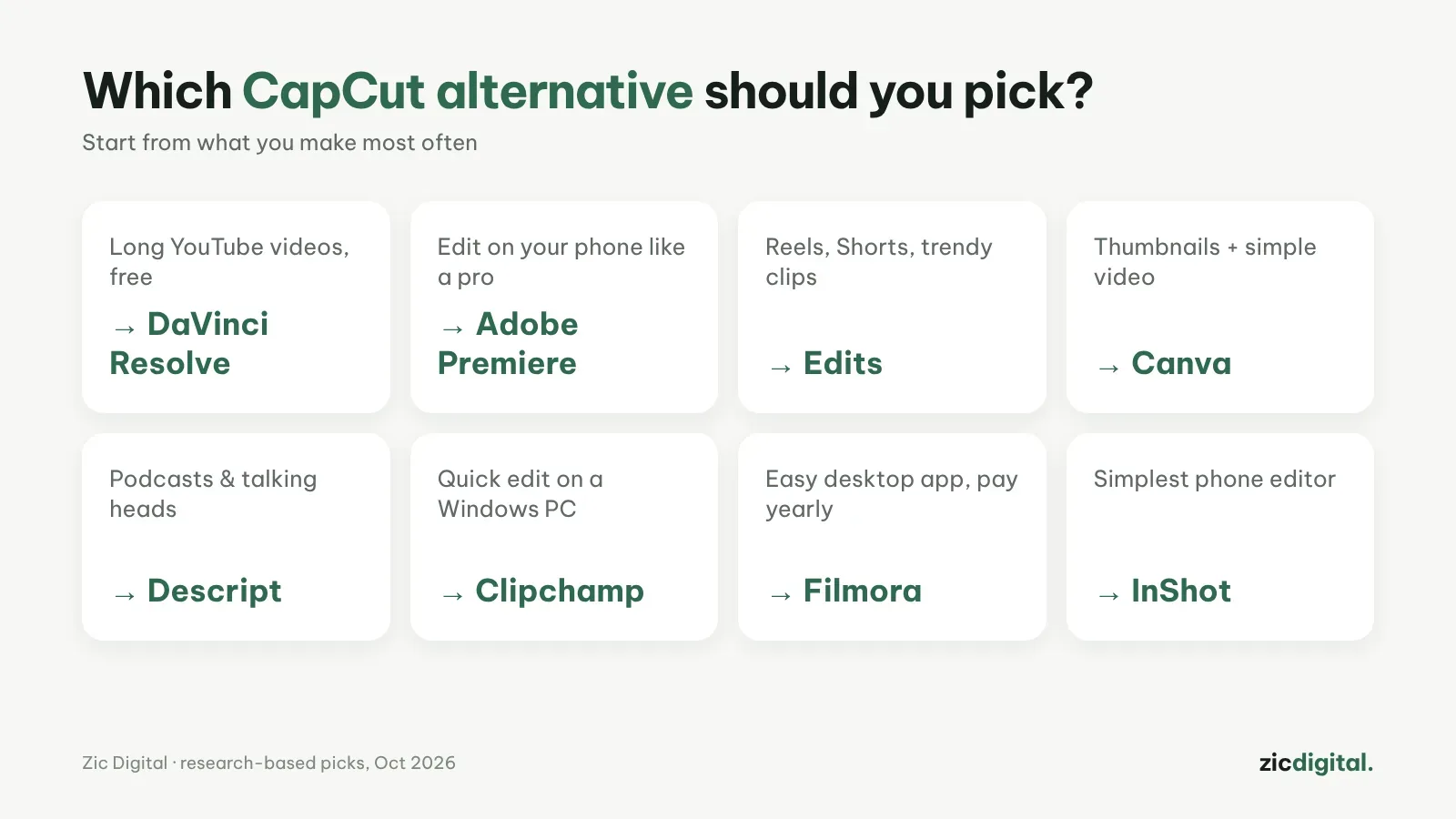
Quick pick by need
How we chose
This list is based on official sites, app stores and price trackers, checked on October 29, 2026 — not hands-on testing. All eight tools now have full scored reviews — follow the link under each entry. We have no affiliate links for these tools. Still want CapCut? See CapCut pricing 2026, Is CapCut safe? and our CapCut review.
Pick by device: Best free video editors for phones · Best free video editors for Windows
The full YouTube creator toolkit: YouTube Creator Toolkit 2026