OBS Studio vs Clipchamp 2026: Which Screen Recorder Should You Use?
OBS records without limits and can live stream, but has no editor; Clipchamp records up to 30 minutes per take but lets you edit and caption in the same app. Both are free with no watermark.
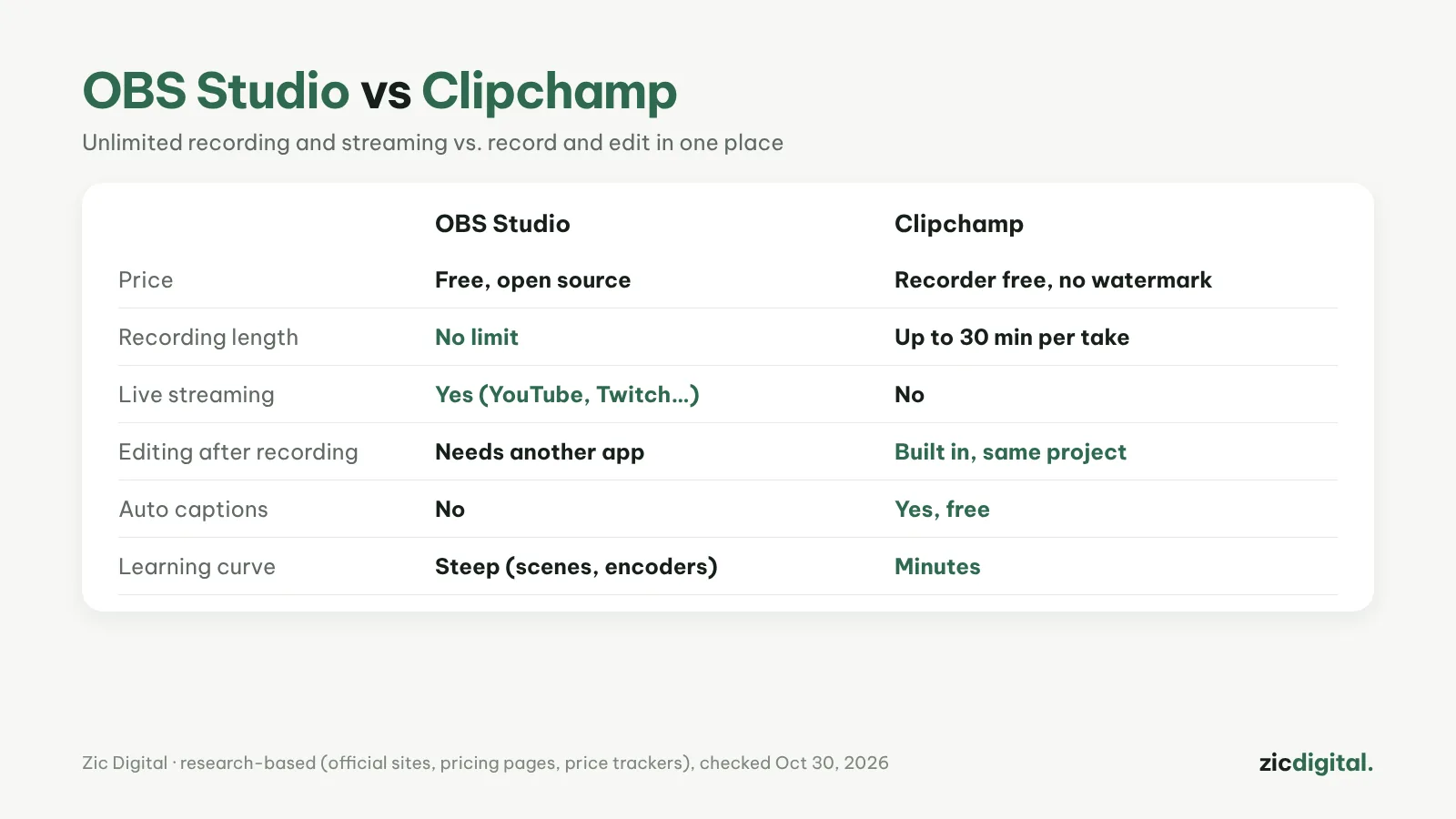
Both record your screen and webcam for free with no watermark on Windows. OBS is dedicated recording and streaming software; Clipchamp is a video editor with a built-in recorder. The right pick depends on how long your videos are and whether you want to edit right away.
Choose OBS Studio if
- You record longer than 30 minutes (lessons, gameplay)
- You want to live stream to YouTube or Twitch
- You need multiple sources: screen, webcam, images, text, scene switching
Choose Clipchamp if
- You record short tutorials and want to edit right away
- You need free auto captions
- You're a beginner and don't want to touch bitrate or encoders
Cost
Both are free. Clipchamp's recorder is free with no watermark, up to 30 minutes per recording (per Clipchamp's page); Clipchamp Premium, about $11.99/month, only matters for 4K export and premium stock. OBS is completely free and open source.
Verdict
Short tutorials, done fast: Clipchamp. Long recordings, gameplay, live streams: OBS Studio, then edit in Clipchamp or DaVinci Resolve. Many YouTubers use both: OBS to record, Clipchamp to trim and add captions.
Comparison based on official sites, pricing pages and price trackers, checked October 30, 2026 — no affiliate links.
Read more: OBS Studio review · Clipchamp review · Clipchamp vs DaVinci Resolve 2026 · Best Free Video Editors for Windows in 2026 · How to Add Auto Captions in Clipchamp (Free, with SRT Download)