Best Free Video Editors for Windows in 2026
Five video editors for Windows PCs, ranked by what the free version gives you: DaVinci Resolve, Clipchamp, CapCut, Canva and Filmora.
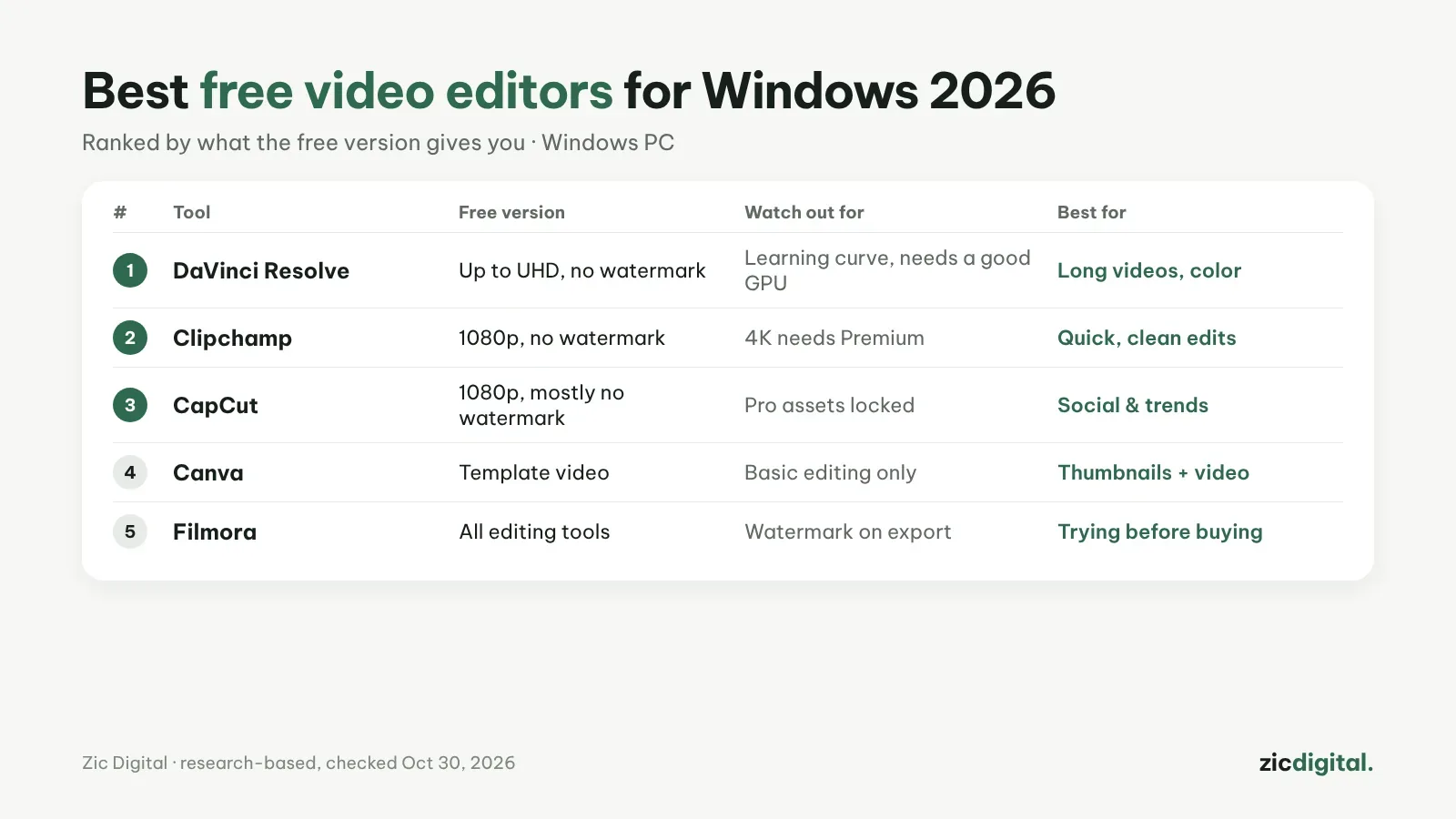
This list only looks at what you get without paying on a Windows PC.
1. DaVinci Resolve — the most powerful, truly free
Editing, color and audio like pro software. Expect a few weeks of learning and a decent graphics card. Free version: export up to Ultra HD, no watermark. DaVinci Resolve review · CapCut vs DaVinci Resolve
2. Clipchamp — already on Windows
Open it and go: simple drag and drop, auto captions. Free version: 1080p export, no watermark; 4K needs Premium. Clipchamp review · CapCut vs Clipchamp
3. CapCut — the most social media effects
The desktop app has the same templates, effects and captions as the phone app. Free version: export up to 1080p, mostly without a watermark; Pro assets locked. CapCut review · CapCut pricing 2026
4. Canva — thumbnails plus simple video
Good if you need thumbnails and template-based video in one place. Free version: enough for template video; editing tools are basic. Canva review · CapCut vs Canva
5. Filmora — for trying before you buy
Easy, with a big effects library; the free version is for testing, not publishing. Free version: all editing tools, but a watermark on export. Filmora review · CapCut vs Filmora
Editing on a phone? See best free video editors for phones. The full list, including paid tools: 8 best CapCut alternatives.
Ranking based on research (official pages, app stores, pricing), checked October 30, 2026 — no affiliate links.
The full YouTube creator toolkit: YouTube Creator Toolkit 2026
See also: OBS Studio review · How to Record Your Screen with OBS Studio for YouTube (Free)