CapCut vs Canva 2026: Which Is Better for Short Videos?
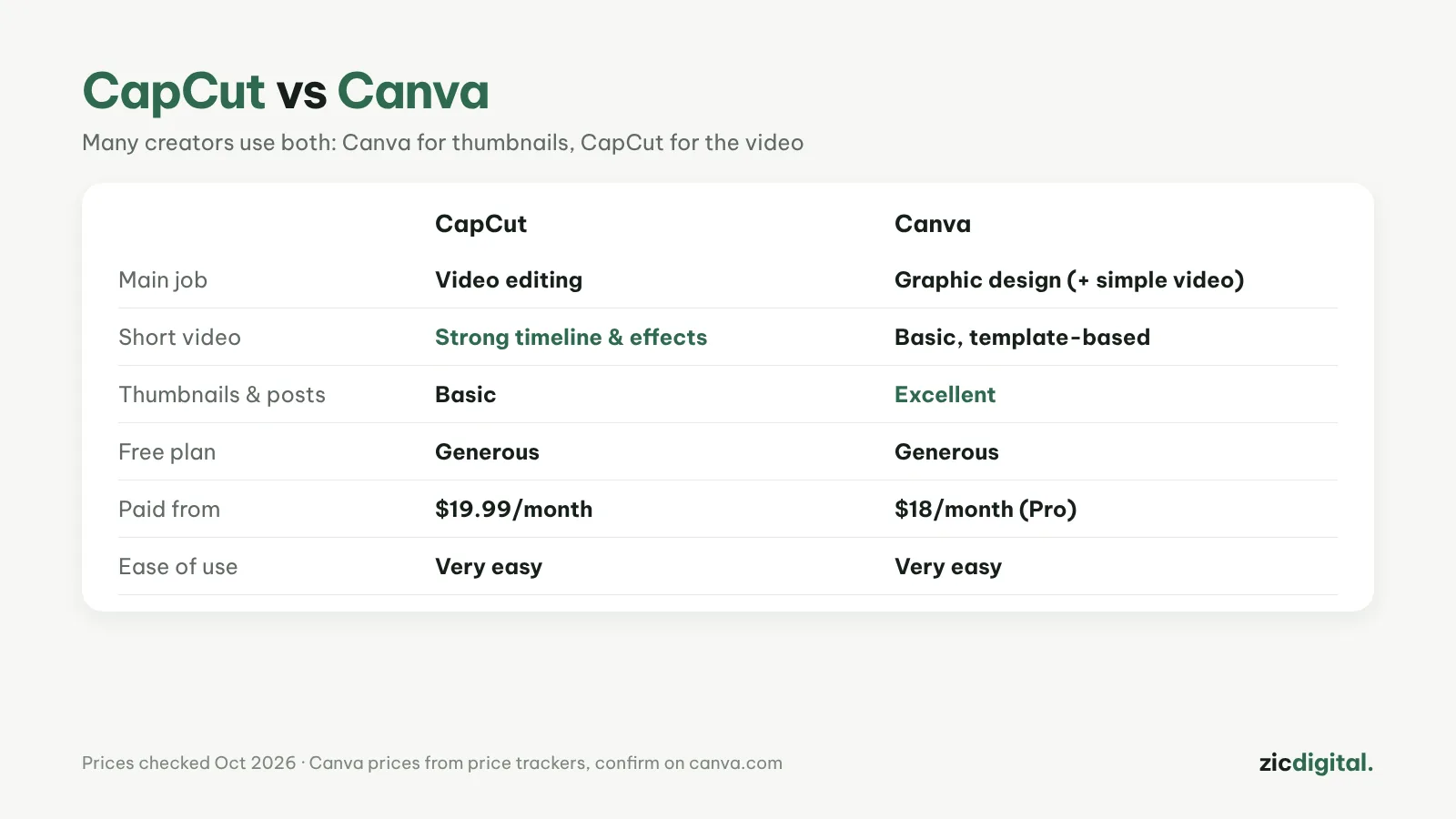
CapCut is stronger at video editing, Canva at graphics; many creators make thumbnails in Canva and edit videos in CapCut.
What each does best
CapCut is a video editor: timeline, effects, auto captions. Canva is a design tool: images, thumbnails, slides, plus simple template-based video.
Choose CapCut if
- Video is your main product
- You need tight cuts, effects and auto captions
- You post Shorts, Reels or TikToks often
Choose Canva if
- You mostly need thumbnails, posts and slides
- Your videos are simple: images, text and music from a template
- You work in a team with shared brand assets
Cost
CapCut Pro costs $19.99/month. Canva Pro costs about $18/month in the US, less when billed yearly. Both have generous free plans, so try them before paying.
Using both
Make thumbnails and posts in Canva, edit the video in CapCut. Read more: Canva review · CapCut review